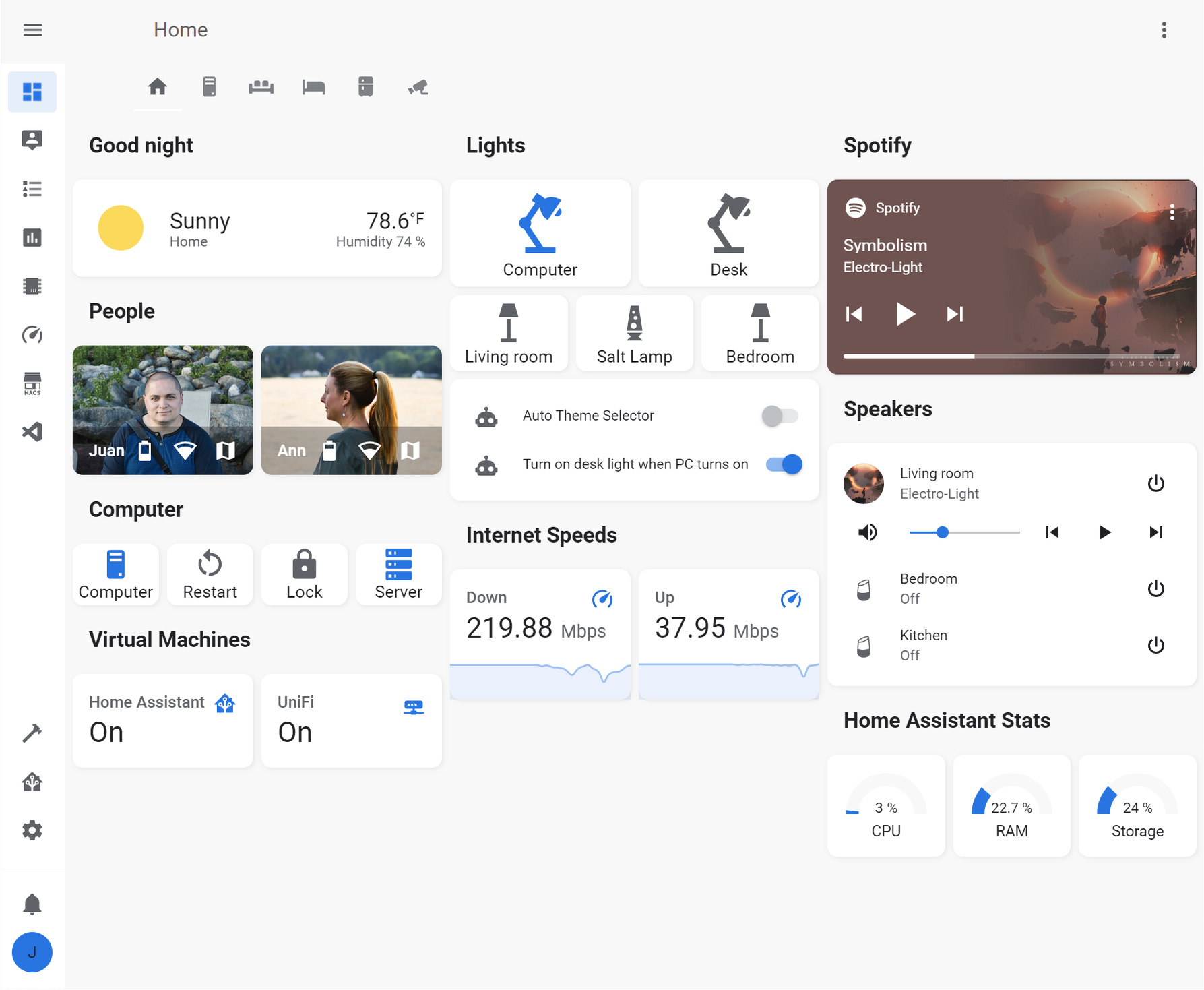
Designed a Google Material 3 (Material You) theme suite for Super Productivity following the official M3 color, elevation, and shape specifications.

  • Authentic M3 tonal surface hierarchy replacing heavy drop shadows with tonal surface containers
  • 14px rounded task cards, 16px squircle floating action buttons, 28px full-pill navigation drawer indicators, and pill search/add-task bars
  • M3 state layer opacities and cubic-bezier easing curves across light and dark palettes

GitHub: https://github.com/BigWebstas/SuperProd_Google_Mat3_Theme
Released v2.13.0 of TileBoard on GitHub.

Release Notes

Features

  • Google theme: now the Pixel / Material 3 look of BigWebstas/google-theme: 28px rounded cards without borders and tonal surfaces. CUSTOM_THEMES.GOOGLE is dark only now; CUSTOM_THEMES.GOOGLE_DARK is kept as an alias.

Fixes

  • Old browsers and tablets: Chart.js 4 and hls.js 1.7 ship modern JavaScript that was bundled untranspiled, which left old Android WebViews (for example Amazon WebView 59 in Fully Kiosk on Fire tablets) with a blank page. Those packages are now transpiled and the bundle parses as ES5 again.
  • History charts on old WebViews: fall back to the window resize event where ResizeObserver is missing (Chrome below 64).

Performance

  • State changes from Home Assistant are applied immediately, but the dashboard re-renders at most once per animation frame, and not while the page is hidden.

The release zip contains the built app plus config.example.js.

Downloads

Release page: https://github.com/BigWebstas/TileBoard/releases/tag/v2.13.0
Repository: https://github.com/BigWebstas/TileBoard

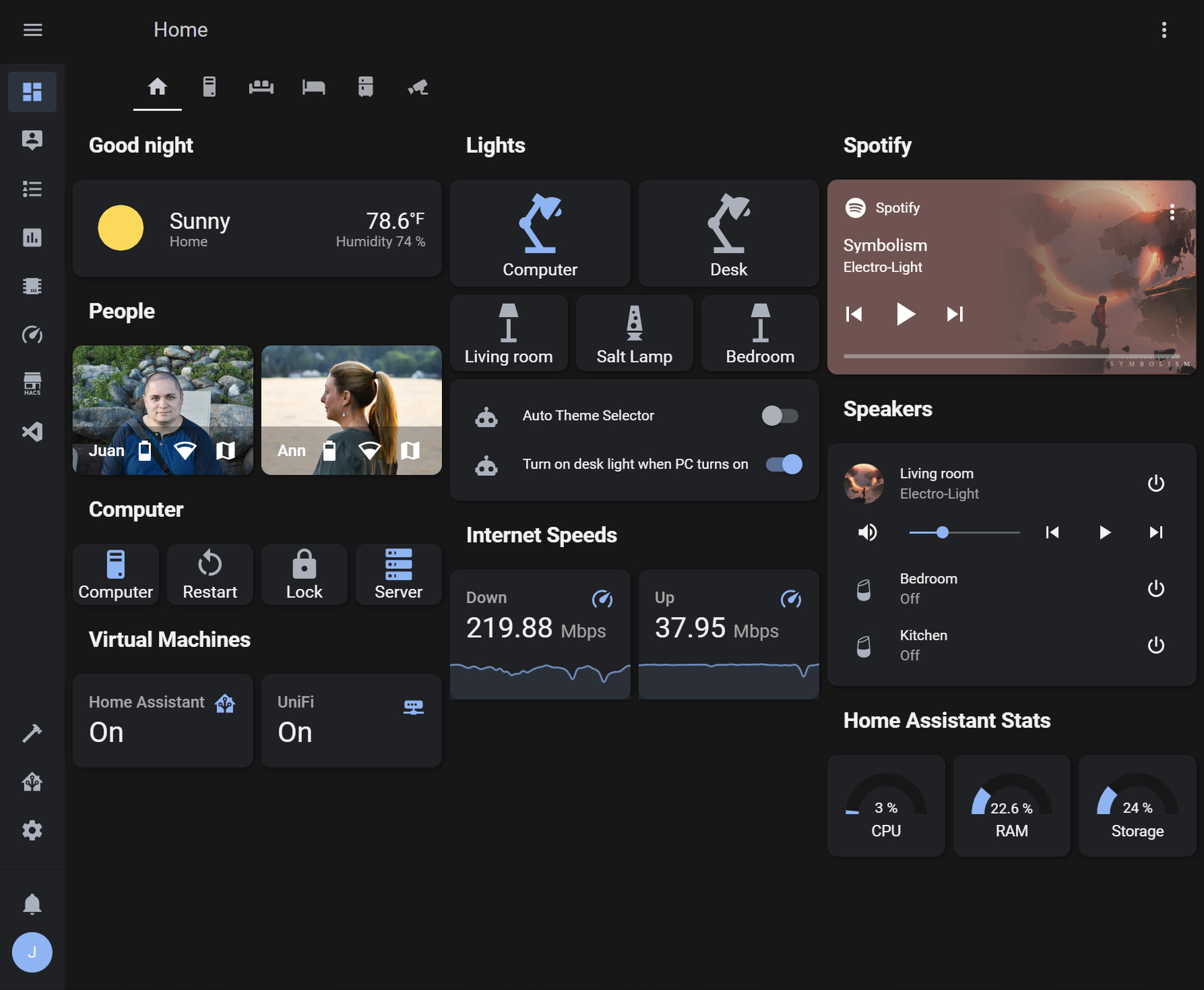
Released v1.6 of Google Material 3 Theme (HA) on GitHub.

Release Notes

Pixel / Material 3 look.

  • 28px card and dialog corners, no card borders
  • Tonal surfaces: tinted page background with contrasting cards (light and dark)
  • Material 3 blue palette (#0b57d0 light, #a8c7fa dark)
  • Google Sans font stack with Roboto fallback, medium-weight headings
  • Visible soft divider in light mode

Release page: https://github.com/BigWebstas/google-theme/releases/tag/v1.6
Repository: https://github.com/BigWebstas/google-theme

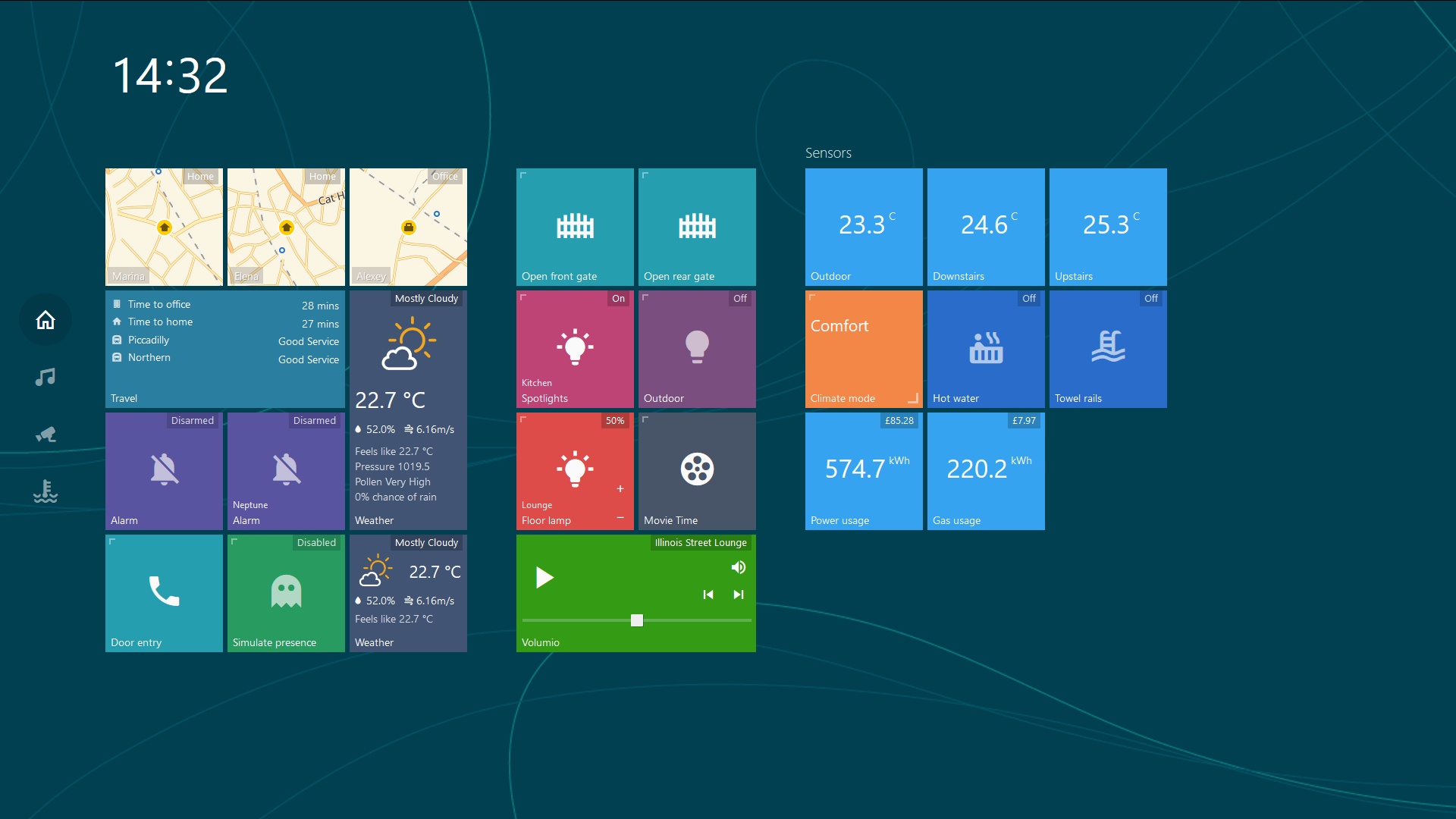
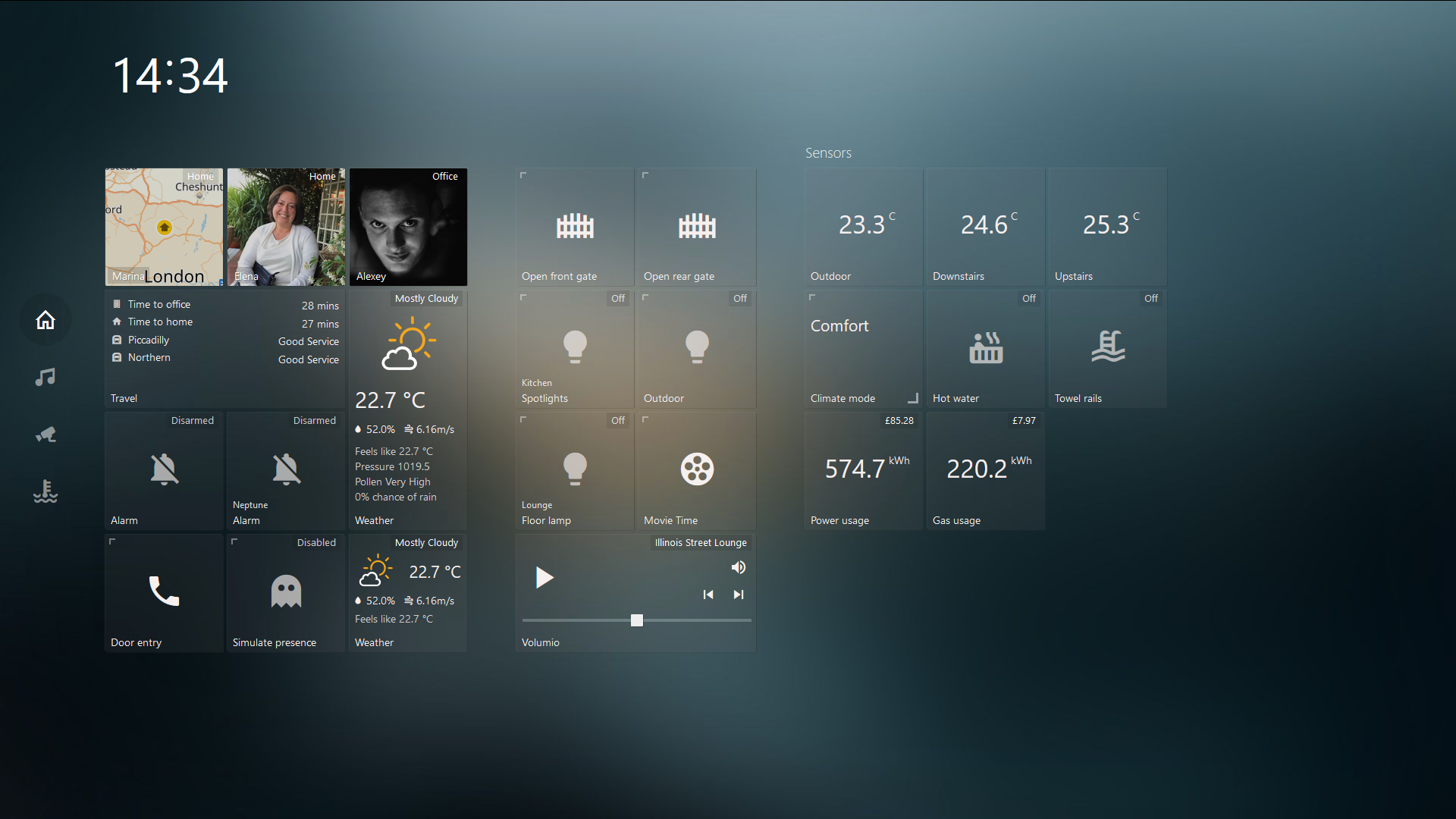
Modernized my fork of TileBoard for wall-mounted Home Assistant tablets to fix stale states, support older webviews, and match Google’s Material 3 dark palette.

TileBoard Default Dashboard TileBoard Transparent Theme
  • Self-healing state sync: added a 10-minute WebSocket reconnect watchdog and periodic/tab-visibility state resyncing so wall tablets never get stuck showing stale tiles
  • Material 3 Google theme: restyled the Google theme with dark tonal surfaces, outlines, and larger tile state text and fan speed controls
  • Legacy browser compatibility: transpiled chart.js and hls.js and added a ResizeObserver fallback so older tablet browsers parse the bundle cleanly

GitHub: https://github.com/BigWebstas/TileBoard

Released 1.2.1 of wp386 Theme on GitHub.

Release Notes

Version 1.2.1

  • Fix: the navbar was not pinned to the top, so the sidebar could cover it (introduced in 1.2)

The attached wp386-1.2.1.zip is ready to install (style.css is pre-built).

Downloads

Release page: https://github.com/BigWebstas/wp386/releases/tag/1.2.1
Repository: https://github.com/BigWebstas/wp386

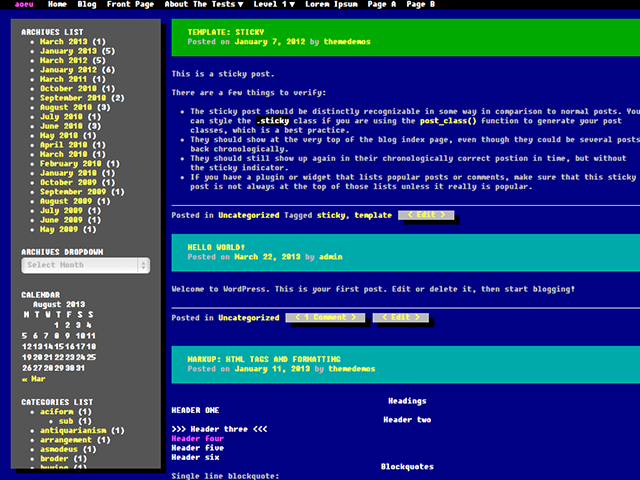
I love the classic DOS look of the wp386 WordPress theme (based on BOOTSTRA.386), which powers this blog—but the original theme was built on ancient Bootstrap 2.3.1, Compass, and older PHP.

I forked it and released v1.2.1 with a full modernization under the hood while keeping the exact retro 386 aesthetic intact:

wp386 Retro DOS WordPress Theme Screenshot
  • Replaced Bootstrap 2.3.1 and Compass with Bootstrap 5.3 and Dart Sass (npm run build), dropping the jQuery dependency for dropdowns
  • Updated the nav walker and customizer options for PHP 8 and current WordPress (title-tag, HTML5, block editor support, and wp_body_open())
  • Fixed the top navbar pinning and unbalanced layout markup when the sidebar is empty

GitHub: https://github.com/BigWebstas/wp386

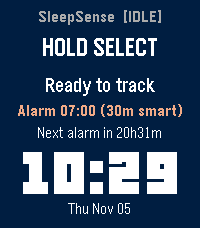
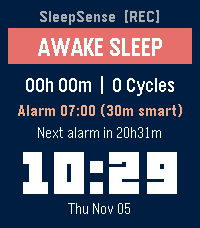
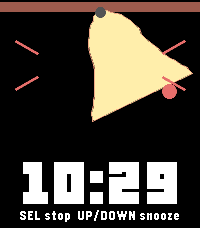
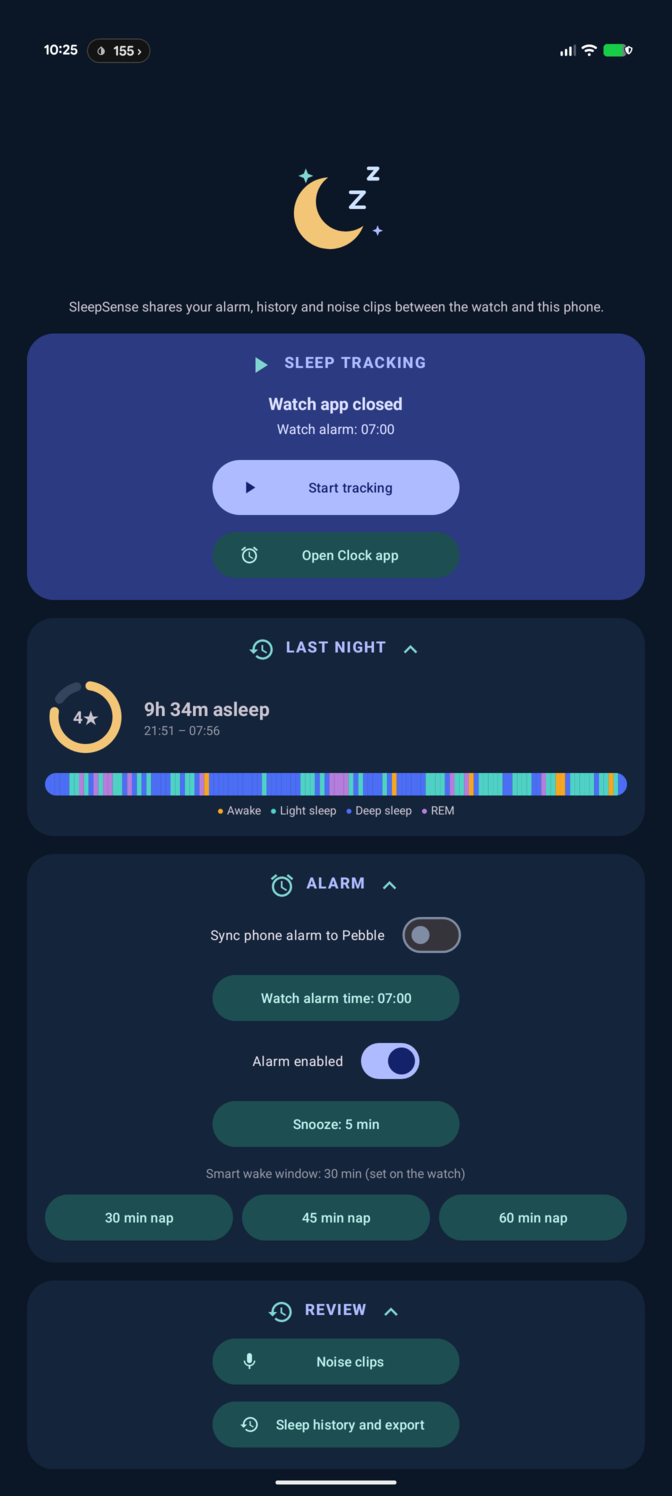
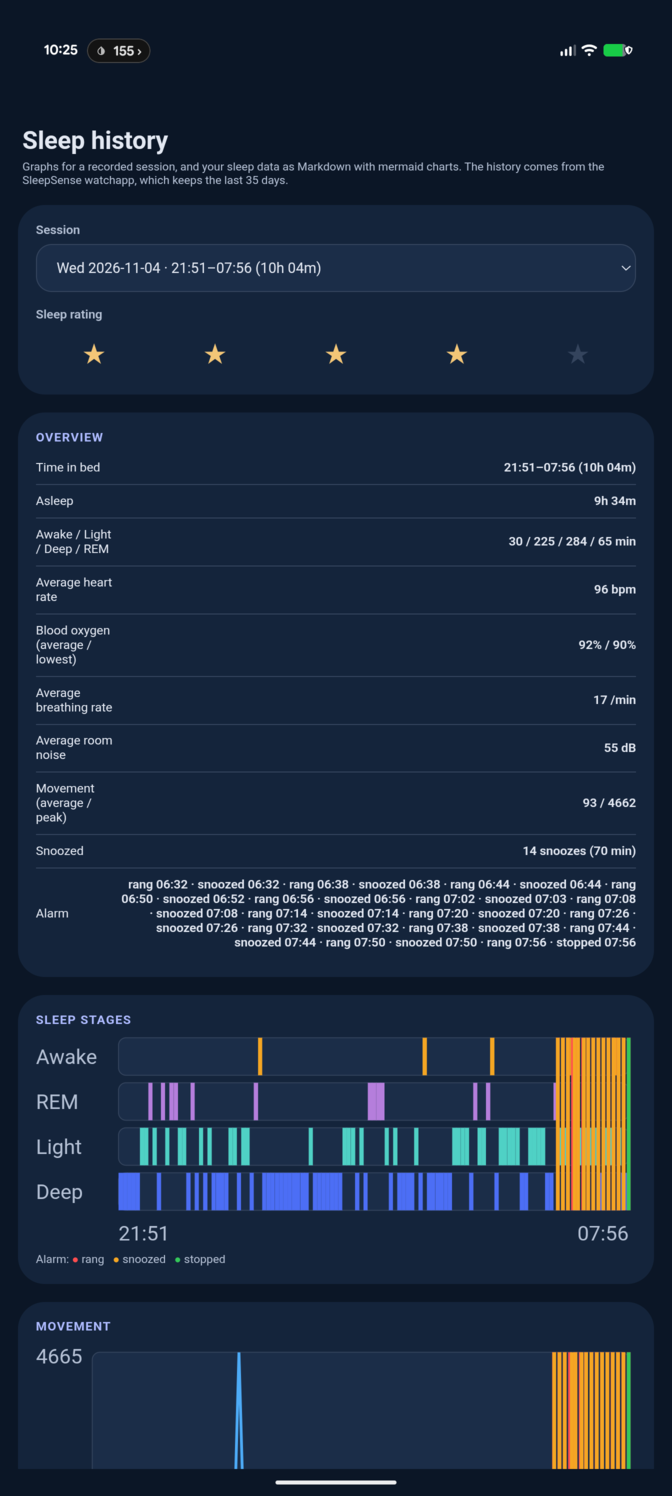
Built SleepSense, a full sleep cycle tracker and smart wake alarm for Pebble smartwatches (aplite, basalt, chalk, diorite, emery, flint, and gabbro) paired with a native Android companion app.

It fuses watch accelerometer movement, ambient light sensor readings, heart rate, and phone microphone room-noise analysis to classify sleep into Awake, Light (N1/N2), Deep (N3/Slow-Wave), and REM across ~90-minute cycles.

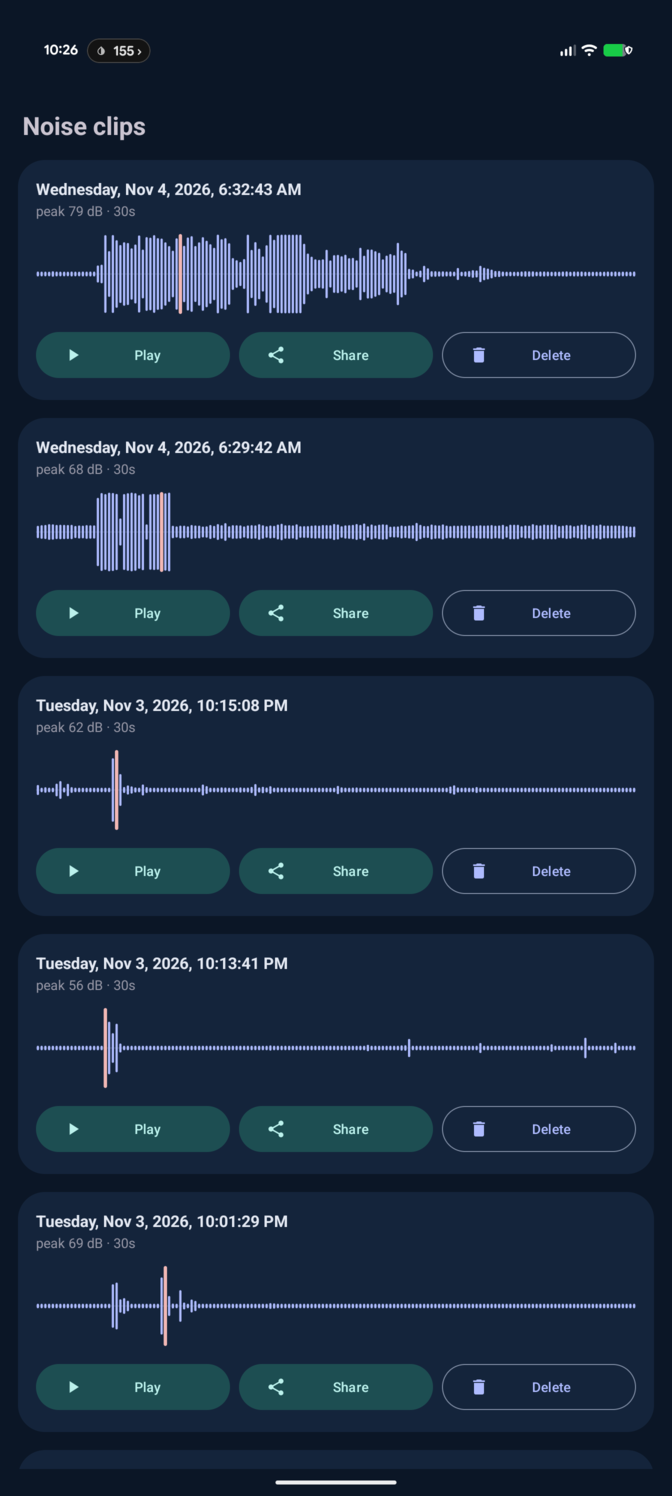
Watch Idle Watch Tracking Sleep Watch Smart Alarm Ringing Android Companion Main View Android Sleep History Graphs Android Room-Noise Clips Android Home-Screen Widget
  • Smart wake alarm: wakes you during light sleep within your target wake window
  • Standalone or paired: the watchapp works completely on its own, while the optional Android companion app adds a home-screen widget, room-noise spike audio clips, sleep-history graphs, and Markdown export

GitHub: https://github.com/BigWebstas/Pebble-SleepSense

Following up on my Thunderbird add-on, I built Claude Mail Sorter for Outlook so I could have the same Claude-powered folder filing, spam detection, flagging, and category tagging in Outlook.

Claude Mail Sorter for Outlook Icon
  • outlook-vsto/: classic Outlook for Windows add-in supporting all account types (including IMAP), automatic new-mail sorting, folder right-click sorting, and an animated ribbon icon
  • outlook/: modern Office web add-in for new Outlook, Outlook on the web, and macOS using Microsoft Graph

GitHub: https://github.com/BigWebstas/Outlook-Claude

Packaged the EverShelf self-hosted pantry manager server as a Home Assistant OS add-on repository so it can run directly inside Home Assistant alongside the ha-evershelf integration.

It maps the database, .env configuration, and automated daily backups onto Home Assistant’s persistent /data volume (so everything is included in HA snapshots), supports HA Ingress, and runs the smart-shopping housekeeping loop every 5 minutes.

EverShelf Logo

GitHub: https://github.com/BigWebstas/Haos_app-evershelf