Watch level meter is smoother, with a peak marker and a level history strip. Widget fixes: the stop button no longer disappears while recording, and the subtext is no longer cut off.
PebbleRecorder started as one idea: use a Pebble watch as a remote start/stop button for recording audio on my phone. Press a button on the watch and the phone records, no need to touch it. It has grown a lot since the early versions, so here is a tour of what it does now, with fresh screenshots.
The watch
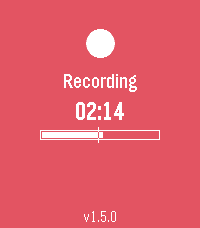
The watch app has no microphone logic. It sends start, stop, pause and bookmark commands and shows whatever status comes back: a big state, a live timer, and a level bar so you can see the phone is actually hearing something. If you close and reopen the app mid-recording, the timer re-syncs.
The watch app mid-recording, with the timer and mic level bar.
SELECT starts and stops a recording.
UP drops a bookmark at the current timestamp (new in the next release).
DOWN pauses and resumes.
On touch watches such as the Pebble Time 2, a tap starts a recording and then toggles pause.
The phone
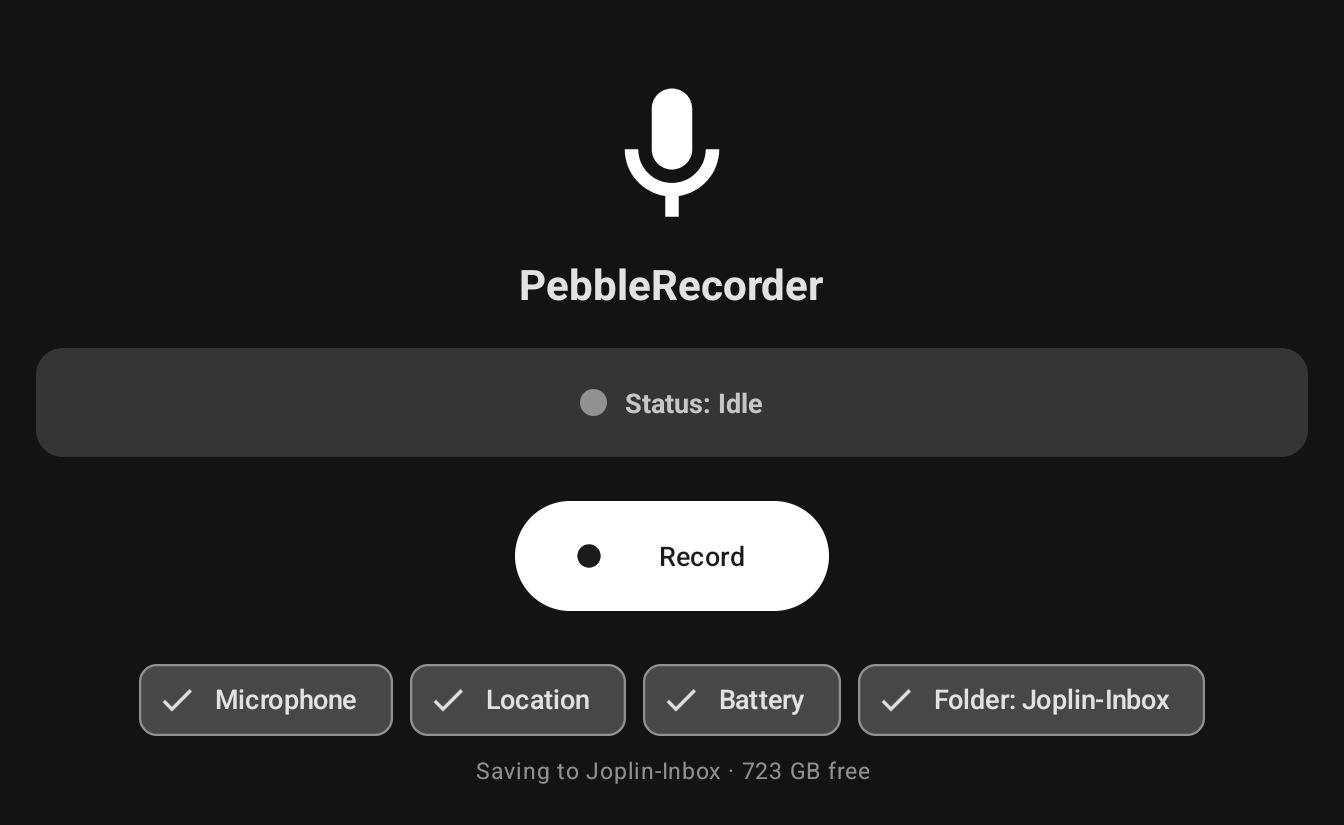
Messages travel over Pebble’s AppMessage protocol, relayed by the Pebble/Core companion app, to the Android app, which does the actual recording. The main screen shows a status card, with Record, Pause, Stop and bookmark buttons so you can also drive it from the phone.
The Android app when idle: status card, Record button, and permission and folder chips.
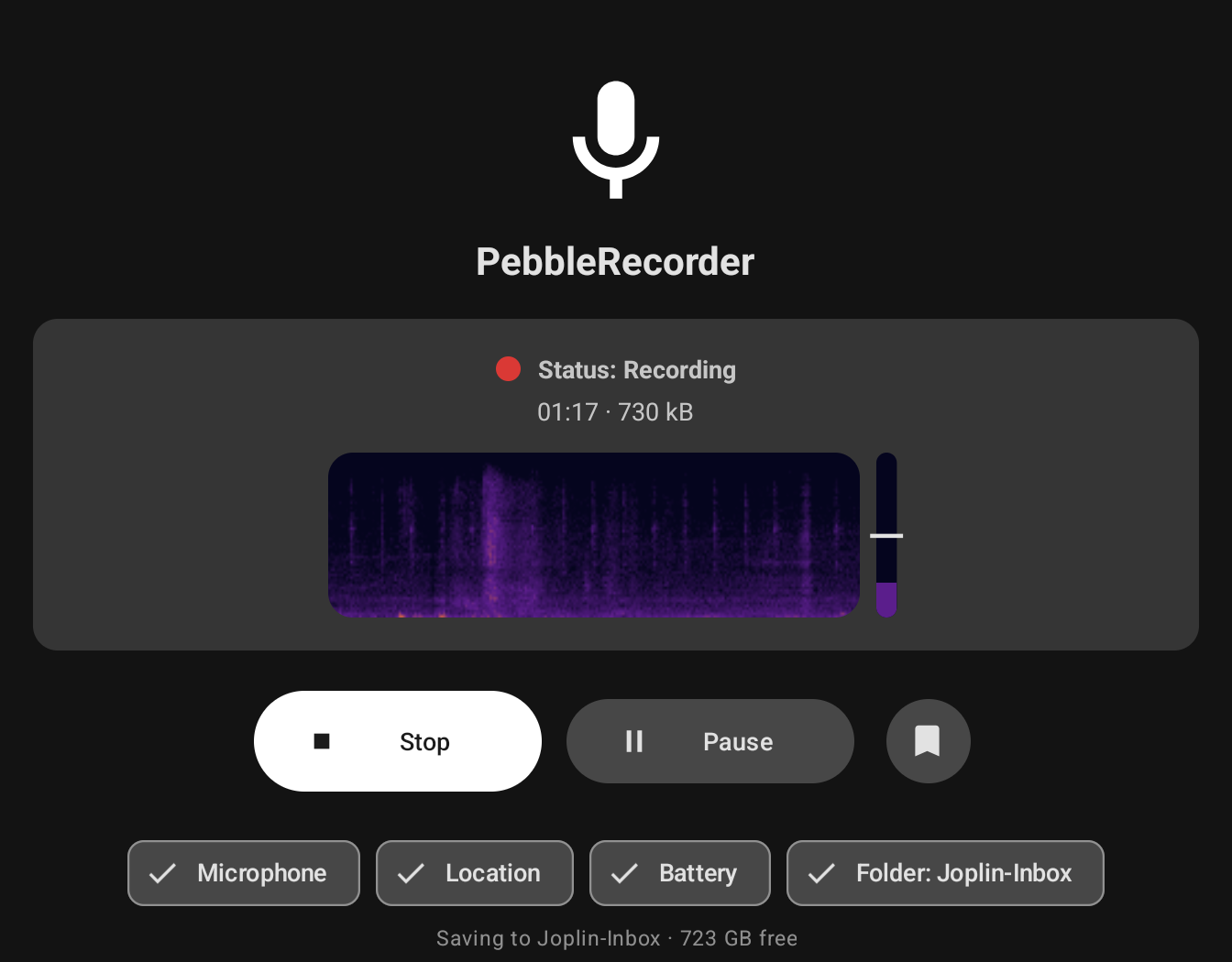
While recording, the status card shows the elapsed time and file size, plus a live spectrogram (Android 10 and newer) next to a vertical mic level bar. A marker on that bar shows the silence threshold used by auto-stop, so you can see how close your room is to triggering it.
Recording, with the live spectrogram and the level bar with its silence-threshold marker.
Quick Settings tile, a home-screen widget with a record button and timer, and Pause/Stop buttons on the notification.
Auto-stop after a set length or after a stretch of silence, and optional Do Not Disturb while recording.
Choice of microphone, AAC or Opus, and quality, under Show advanced.
An optional local webhook (for example for Pebble Index) to start, stop or toggle recording.
Transcription and summaries
Everything here is optional. Recordings stay in private storage until transcription finishes, then the audio and transcript appear together in your folder, so a sync tool never picks up a half-finished pair.
Offline Whisper (downloads a model, with a speaker-turn option), or cloud transcription through Gemini or OpenAI.
Optional summaries from Gemini, OpenAI or Claude.
Transcripts are saved as a sibling -txt.md file, with an optional reverse-geocoded location line.
Recent recordings
The main screen lists recent recordings. You can play them, share them, retry a failed transcription, rename the speakers, and search across the transcripts. Settings can be exported and imported.
Coming in the next release
Set a bookmark from the watch with UP while recording, and a full-transcript dialog in the recordings list.
A storage bar showing how much space your recordings use and how much is left on the device.
The silence-threshold marker on the live level bar, and a fallback for renaming speakers.
Source, releases and the F-Droid build are on GitHub.
New: offline Whisper transcription (downloads a model, with a speaker-turn option), OpenAI transcription, optional summaries (Gemini, OpenAI or Claude), recent-recordings list with play, share, retry, rename speakers and search, transcription progress, Quick Settings tile, widget record button and timer, Pause/Stop on the notification, auto-stop by length or silence, bookmarks from the watch (hold Down), settings export/import, and a tidier main screen.
Created PebbleRecorder, a Pebble watchapp and companion Android app that turns your Pebble watch into a remote start/pause/stop trigger for recording audio on your phone.
Pressing a button on the watch starts recording AAC/M4A audio on the phone straight to a chosen folder—no need to touch or unlock the phone.
Pebble C watchapp with an Idle → Recording → Paused state machine and live timer
Native Kotlin Android app with a live microphone spectrogram while recording
Optional Gemini transcription that saves a companion -txt.md file right next to each recording