Released v1.1.0 of Hass Auto Updater on GitHub.

Release Notes

What’s new in 1.1.0

First tagged release. Installs everything available on your configured schedule, and now tells you what it’s doing.

Entities

  • sensor.auto_updater_status — reports idle, running, deferred (waiting for the reboot window), or paused. Attributes: enabled, pending_updates, current_update, last_run, last_installed, last_errors.
  • button.auto_updater_run_now — runs a check/install immediately, overriding the schedule.
  • switch.auto_updater_enabled — pause and resume scheduled runs.

Add-on updates are handled explicitly

The updater installs add-ons first and HA Core / Supervisor / OS last, so add-ons finish before anything triggers a restart. Logs now label each install as add-on or core.

Last-run details survive a restart

last_run, last_installed and last_errors are restored across restarts, including the restart the updater triggers after installing. Transient state (pending_updates, current_update, status) is not carried over, since nothing is in flight after a restart.

About the Run Updates Now button

It is a genuine override: it ignores both the pause switch and the reboot window, and will restart Home Assistant at any hour. That’s intentional, but it means the reboot window is a default, not a guarantee. Only press it when you actually want an immediate install.

Upgrading

This release adds entities; your existing configuration and schedule carry over unchanged. After updating, restart Home Assistant and check Developer Tools → States for sensor.auto_updater_status.

Release page: https://github.com/BigWebstas/Hass-Auto-Updater/releases/tag/v1.1.0
Repository: https://github.com/BigWebstas/Hass-Auto-Updater
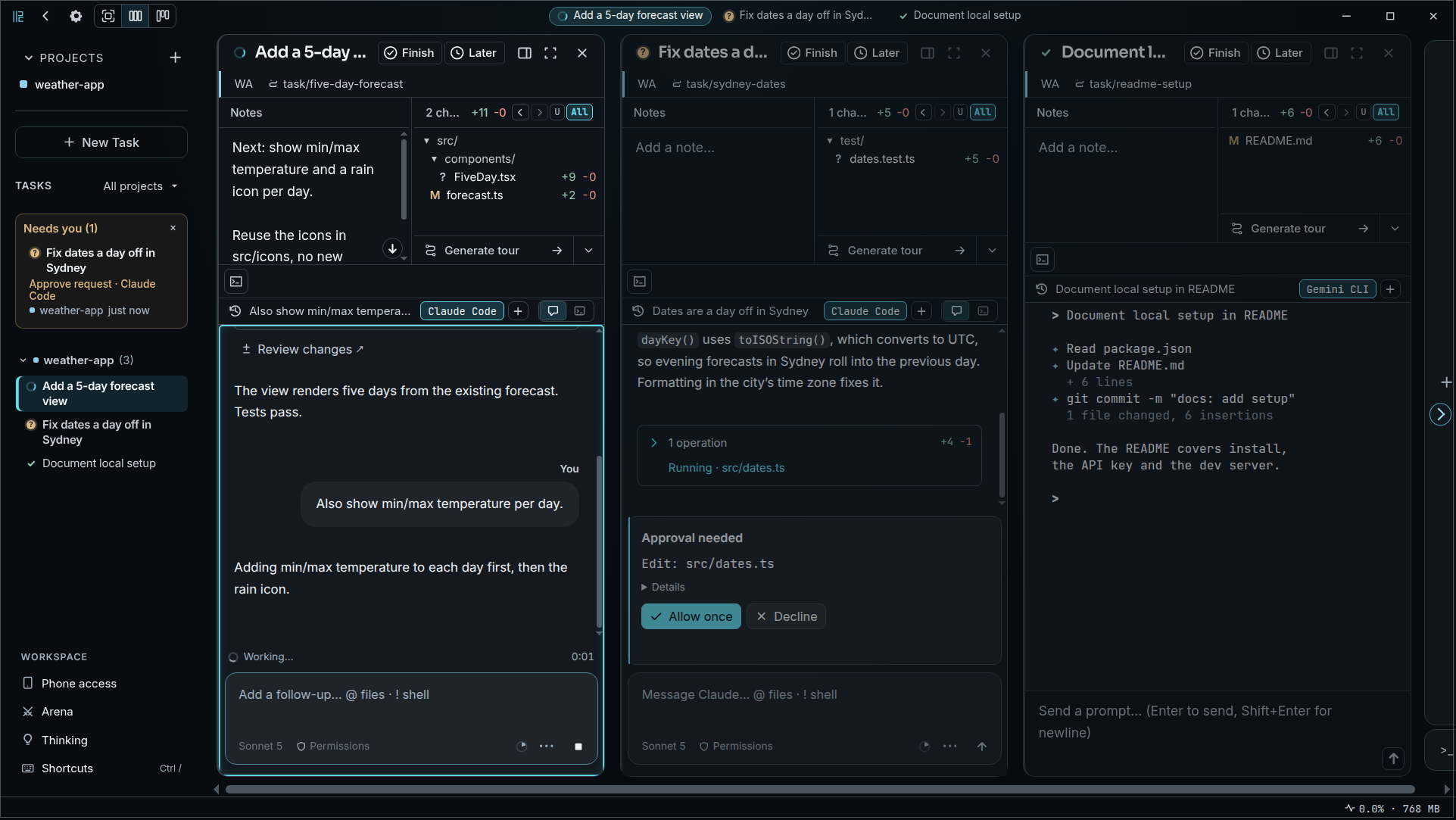
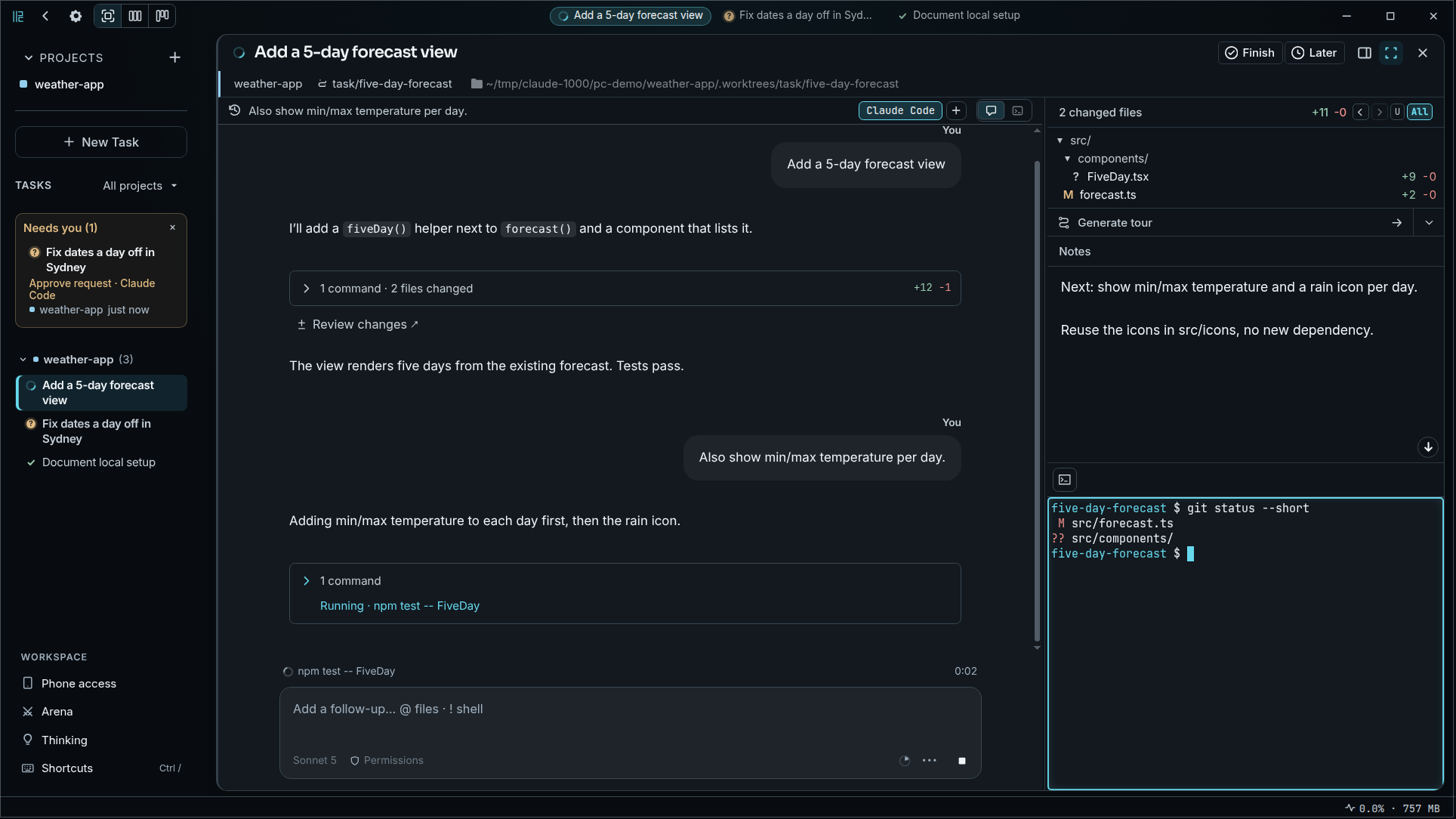
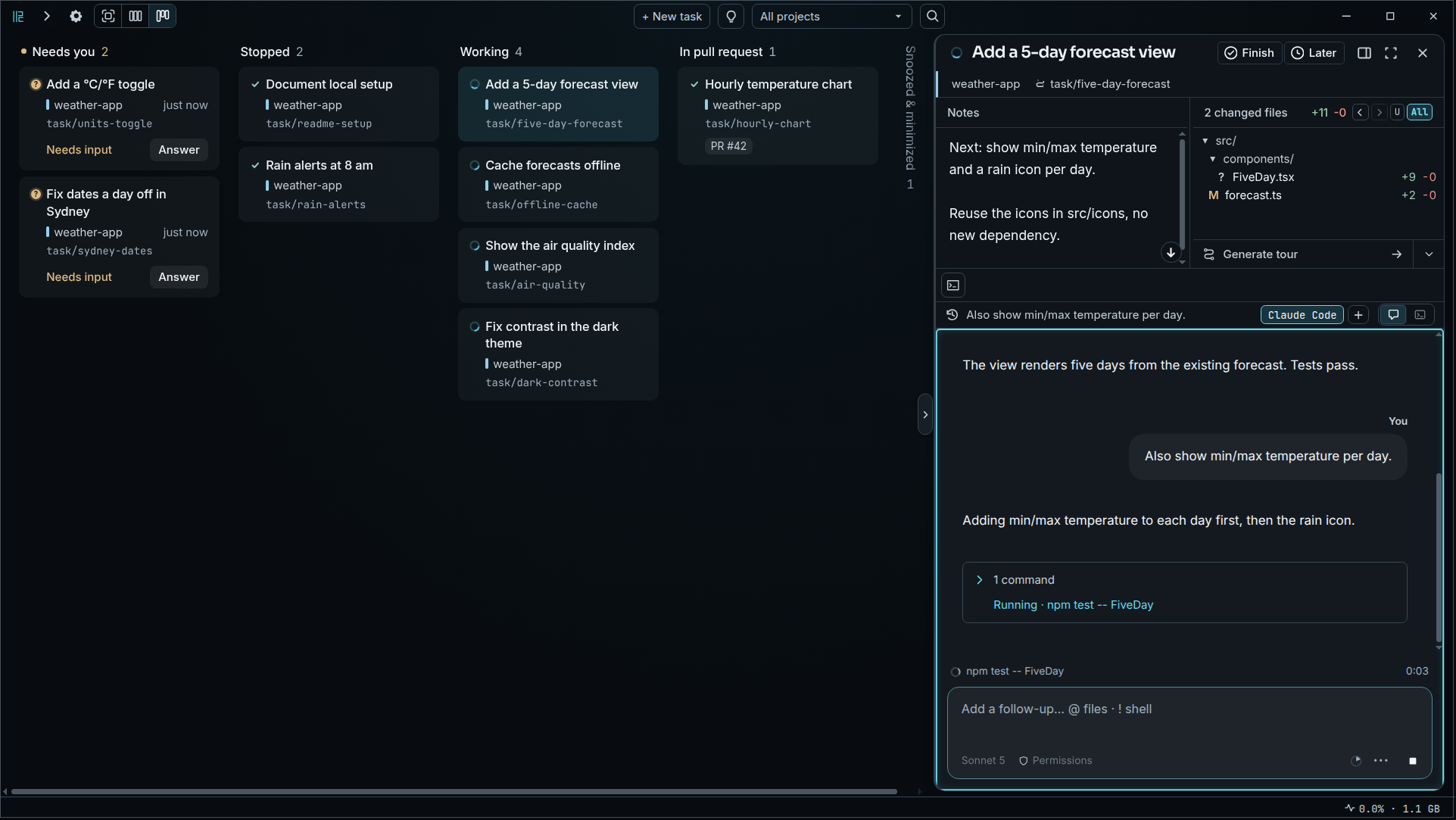
Been hacking on Parallel Code, an Electron + SolidJS workspace for running Claude Code, Codex, Gemini, and Antigravity side-by-side in isolated git worktrees.

My fork adds remote project creation from the companion Android app, Windows build script compatibility, and extra remote IPC plumbing.

Parallel Code Overview Parallel Code Focus View Parallel Code Diff Review Parallel Code Kanban Board

GitHub: https://github.com/BigWebstas/parallel-code

Built Hass Auto Updater, a custom Home Assistant integration that checks all update.* entities on a schedule, installs pending updates in a safe order, and restarts Home Assistant only when needed.

Hass Auto Updater Icon
  • Updates add-ons and HACS integrations first, saving Home Assistant Core, Supervisor, and HAOS for last before triggering a restart
  • Optional reboot window tied to any Home Assistant schedule.* helper so restarts only happen during off-hours
  • Exposes switch.auto_updater_enabled to pause/resume scheduled updates and button.auto_updater_run_now for manual runs

GitHub: https://github.com/BigWebstas/Hass-Auto-Updater
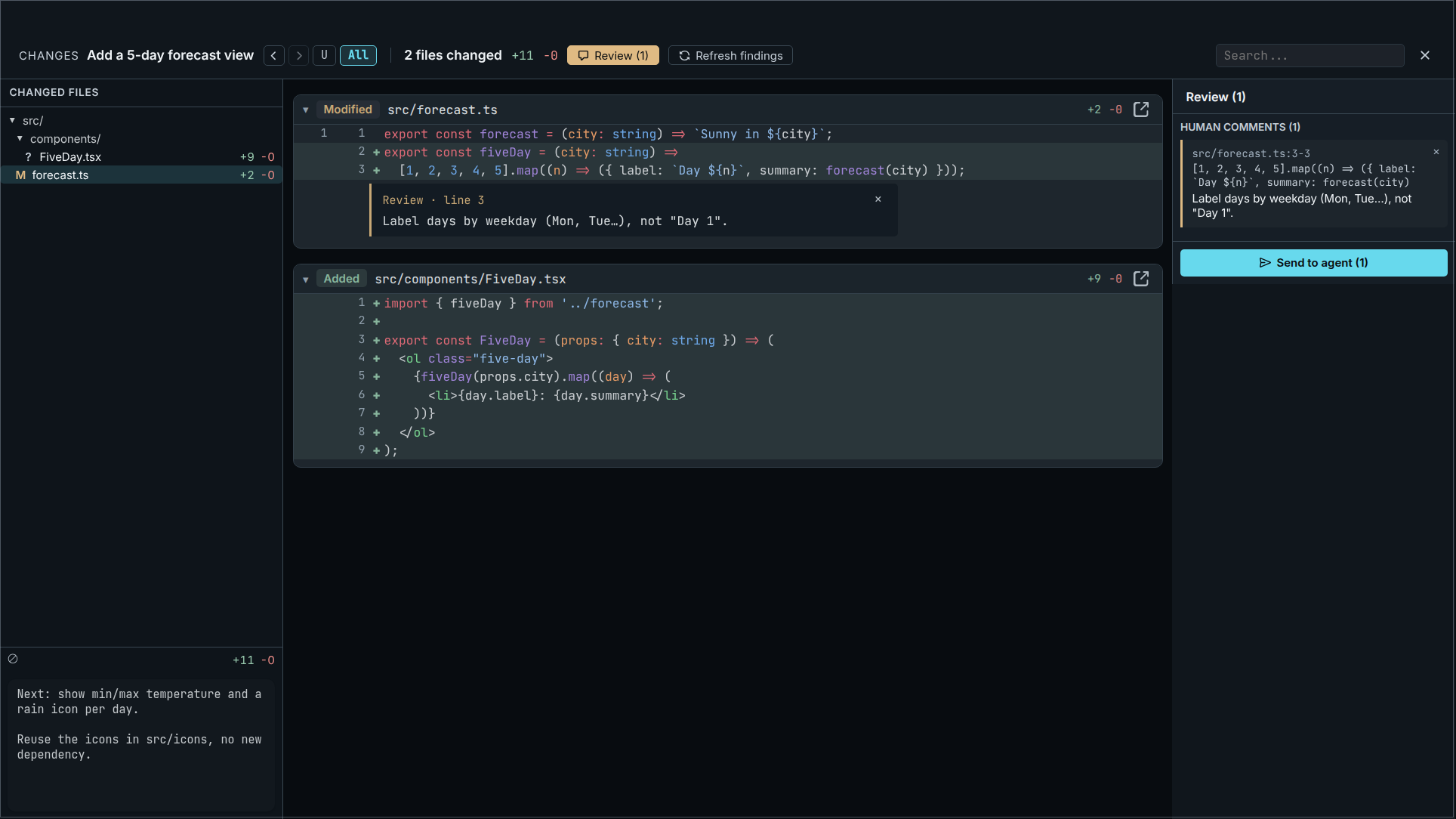
The official Frigate Home Assistant integration provides camera entities and sensors, but doesn’t register a sidebar panel for the full Frigate UI. I built Frigate Panel to put Frigate right in the Home Assistant sidebar, proxied through Home Assistant’s authentication so it works remotely without exposing Frigate to the internet.

  • Smart LAN bypass: loads Frigate directly when your browser is on the local network, and falls back to the authenticated HA proxy when remote
  • Persistent disk cache for static assets shared across all clients to make the UI load fast
  • Unbuffered streaming for live camera views, recordings, and HLS streams

GitHub: https://github.com/BigWebstas/Hass-Frigate-Integration

Released v1.1.0 of Pebble DND Quiet Time Sync on GitHub.

Release Notes

Touch-capable watch support, a persistent sync notification, a home-screen status widget, and an advanced debug log, plus this release’s own fixes.

This release:

  • Advanced log now actually scrolls (was stuck behind a nested-ScrollView bug)
  • Log survives an app relaunch, logs automatic background checks too
  • Watch toggles that silently fail to land now retry, instead of being misread as a watch-side change and mirrored back to the phone

Also in this build (since 1.0.0):

  • Tap-to-toggle and swipe-to-exit on touch-capable watches (Pebble Time 2 / Round 2), tested on real hardware
  • Persistent “Watching Do Not Disturb” notification, so aggressive OEM battery managers are less likely to kill the sync service
  • Home-screen widget showing watch connection, phone DND, and watch Quiet Time at a glance
  • Background-check interval down to 5/10 minutes, UI restyled to match the other Pebble companion apps
  • Android 14+ predictive-back / swipe-to-exit support

Android APK is debug-signed (this is a personal sideload tool, not on Play Store) – installable via adb install or direct sideload. Watch app is a .pbw, install via the Pebble/Core companion app or pebble install.

Downloads

Release page: https://github.com/BigWebstas/PebbleDNDQuietTime/releases/tag/v1.1.0
Repository: https://github.com/BigWebstas/PebbleDNDQuietTime

Released v1.2.0 of sp-keepawake on GitHub.

Release Notes

Drops the desktop nodeExecution/systemd-inhibit fallback added in v1.1.0. The plugin now uses the standard Screen Wake Lock API only, on every platform — simpler, no native-code-execution consent prompt.

Trade-off: the toggle can silently no-op on Linux desktops running Wayland (e.g. current KDE Plasma), where Chromium’s Wake Lock backend doesn’t reliably inhibit idle. See the README for the known gap and workaround.

Install: download sp-keepawake.zip below, then in Super Productivity: Settings → Plugins → Choose Plugin File.

Downloads

Release page: https://github.com/BigWebstas/sp-keepawake/releases/tag/v1.2.0
Repository: https://github.com/BigWebstas/sp-keepawake

Created sp-keepawake, a lightweight Super Productivity plugin that uses the standard Web Screen Wake Lock API to keep your screen awake while Super Productivity is open on desktop (Electron), Android, and iOS 16.4+ without requiring any native build modifications or elevated permissions.

sp-keepawake Icon

GitHub: https://github.com/BigWebstas/sp-keepawake

Built DND Quiet Time Sync, a Pebble watchapp and companion Android app that syncs Pebble’s Quiet Time state into Android’s Do Not Disturb mode.

To prevent the watch and phone from fighting each other in a feedback loop, it uses clean one-way sync where Pebble Quiet Time is the source of truth and an Android NotificationListenerService mirrors changes into phone DND.

DND Quiet Time Sync Icon

GitHub: https://github.com/BigWebstas/PebbleDNDQuietTime

Since Amazon doesn’t offer a buyer-facing API, I built a self-hosted, Dockerized Telegram bot (powered by amazon-orders and SQLite) that polls my Amazon account for order, shipment, and transaction updates and posts them to Telegram.

I also reverse-engineered Amazon’s returns walkthrough so the bot can track return statuses and deliver return drop-off QR codes directly to a dedicated Telegram returns chat.

GitHub: https://github.com/BigWebstas/Telegram-Amazon-Orders-Returns