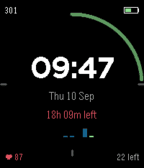
Released v0.6.1 of Pebble Super Productivity Face on GitHub.

Release Notes

New steps icon

  • The steps icon is now a pair of staggered shoe prints, so it reads as footsteps at a glance.

Sync failure is shown

  • When the task sync fails, the face now says so instead of showing “Nothing planned today”.

Install: download PebbleSuperProductivityFace-0.6.1.pbw and open it with the Pebble app, or pebble install --phone <watch-ip>. Builds for aplite, basalt, chalk, diorite, emery.

🤖 Generated with Claude Code

Two variants

  • PebbleSuperProductivityFace-0.6.1.pbw – standard build.
  • PebbleSuperProductivityFace-0.6.1-xdrip.pbw – same release plus live blood glucose from xDrip+ (local API) shown top-centre, with a low/high flash and vibrate alert. Needs xDrip+ running on the phone. Both builds share the same app UUID, so installing one replaces the other.

Downloads

Release page: https://github.com/BigWebstas/PebbleSuperProductivityFace/releases/tag/v0.6.1
Repository: https://github.com/BigWebstas/PebbleSuperProductivityFace
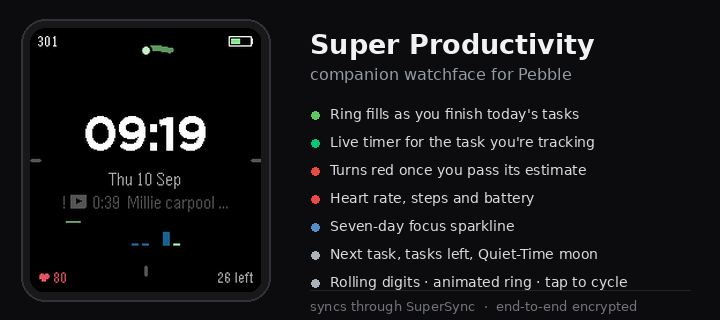
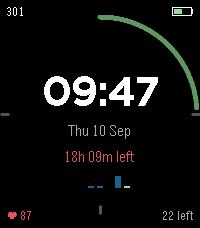
Released v0.6.0 of Pebble Super Productivity Face on GitHub.

Release Notes

Hourly battery re-alert

  • New setting under Battery health alert: Repeat hourly while the level stays out of range (off by default). When on, the low/high battery alert fires again once an hour for as long as the level is still below your low % (unplugged) or above your high % (charging). It also catches up when you return to the face after being away for more than an hour.

Smoother heart-rate highlight

  • The out-of-range heart-rate highlight (45 bpm or lower, 120 bpm or higher) now fades in and out as a pulse instead of snapping on and off. Colour watches get a 3-step fade; black-and-white watches switch at the halfway point.

Install: download PebbleSuperProductivityFace-0.6.0.pbw and open it with the Pebble app, or pebble install --phone <watch-ip>. Builds for aplite, basalt, chalk, diorite, emery. Install the phone and watch parts together – a new settings key was added.

Downloads

Release page: https://github.com/BigWebstas/PebbleSuperProductivityFace/releases/tag/v0.6.0
Repository: https://github.com/BigWebstas/PebbleSuperProductivityFace
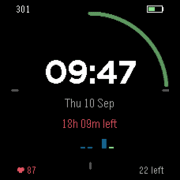
To pair with my Pebble Super Productivity watchapp, I built a dedicated Super Productivity Companion Watchface with its own trimmed SuperSync client so my daily progress is always visible at a glance.

Super Productivity Watchface Banner Pebble Time 2 Watchface Pebble Time Round Watchface Pebble Time Watchface
  • Time and date framed by a progress ring that fills as you complete today’s planned tasks
  • 7-day work sparkline showing minutes tracked over the past week
  • Top and bottom status strips for steps, battery, Bluetooth state, heart rate, habits completed today, and remaining tasks
  • Wrist-tap cycles the bottom status line through next scheduled task, completed count, time worked, estimated time remaining, and habit streaks (or shows the live running task timer)

GitHub: https://github.com/BigWebstas/PebbleSuperProductivityFace