Created a Joplin desktop plugin that sends the current note (or a batch of selected notes) directly to Super Productivity as tasks over its Local REST API.

  • Maps the note title to the task title and optionally copies the note body into task notes
  • Parses Obsidian-style YAML frontmatter (tags, due, scheduled, estimate, project) and maps them automatically onto the Super Productivity task
  • Supports adding a backlink to the Joplin note, queuing directly into Today, and optionally deleting the note after sending
GitHub: https://github.com/BigWebstas/Joplin-SuperProd-Task

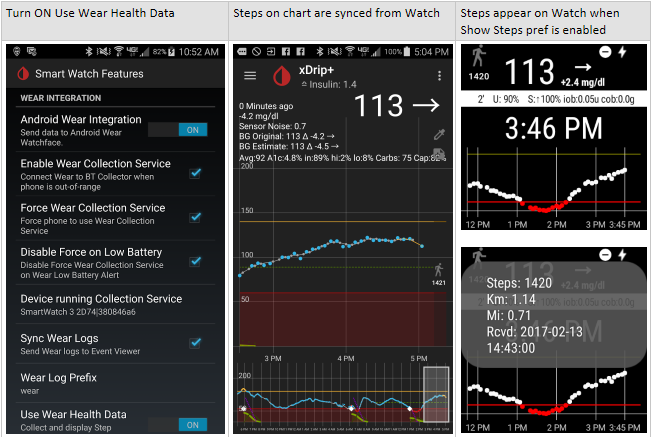
Worked on both the xDrip-Pebble watchface and my fork of Nightscout xDrip+ so my Pebble Time 2 (emery) and Core Time 2 (gabbro) can display crisp, high-resolution blood glucose numbers and report watch health telemetry back to xDrip+.

xDrip Step & Health Sync Settings xDrip Watch Integration
  • Added a high-res BG value and 54px clock layout tailored for larger Emery/Gabbro screens
  • Polls heart rate and step counts on the watch and sends them to xDrip+ over live AppMessages
  • Updated xDrip+ on Android to ingest heart rate and step readings from the watchface, allow piggybacked data requests, and perform a delayed re-send after a Pebble NACK instead of waiting for the next 5-minute CGM cycle

GitHub: https://github.com/BigWebstas/xDrip-Pebble-E
xDrip+ Fork: https://github.com/BigWebstas/xDrip

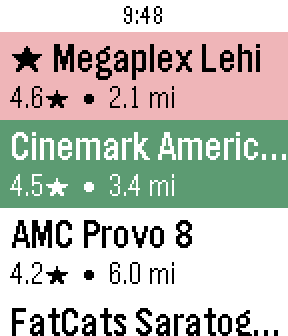
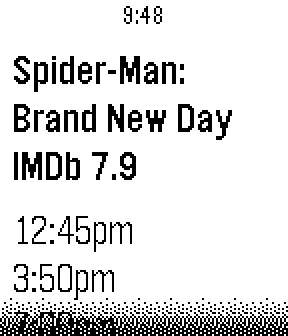
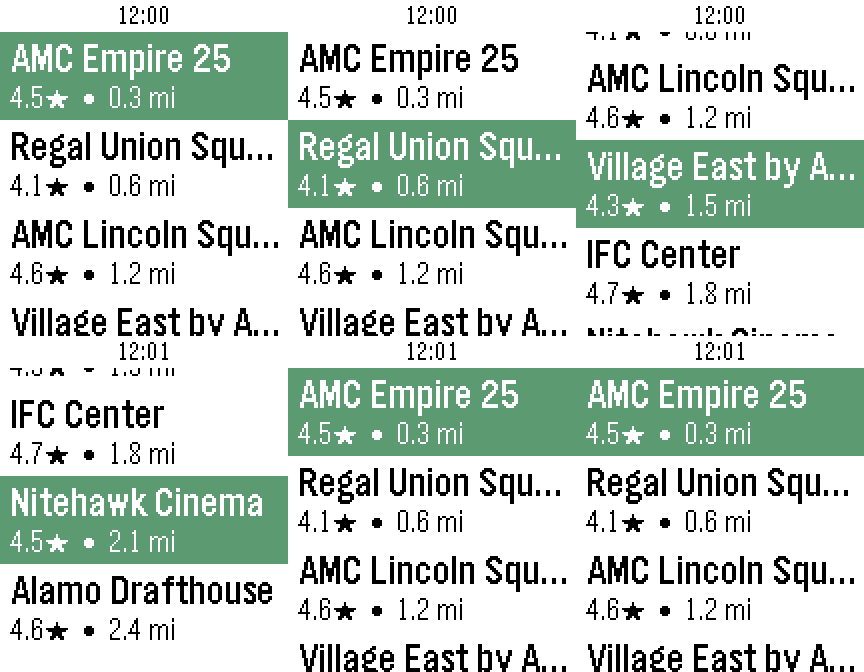
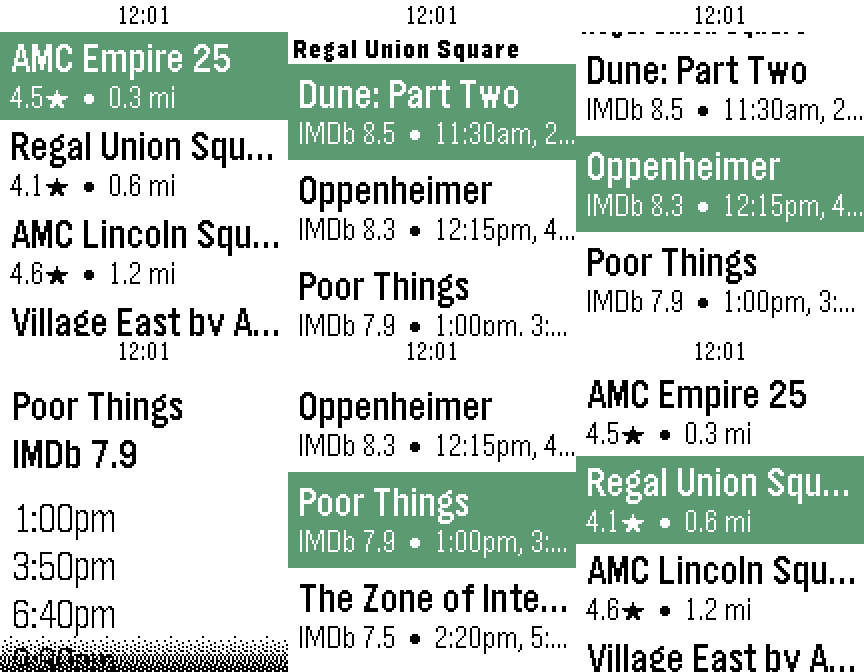
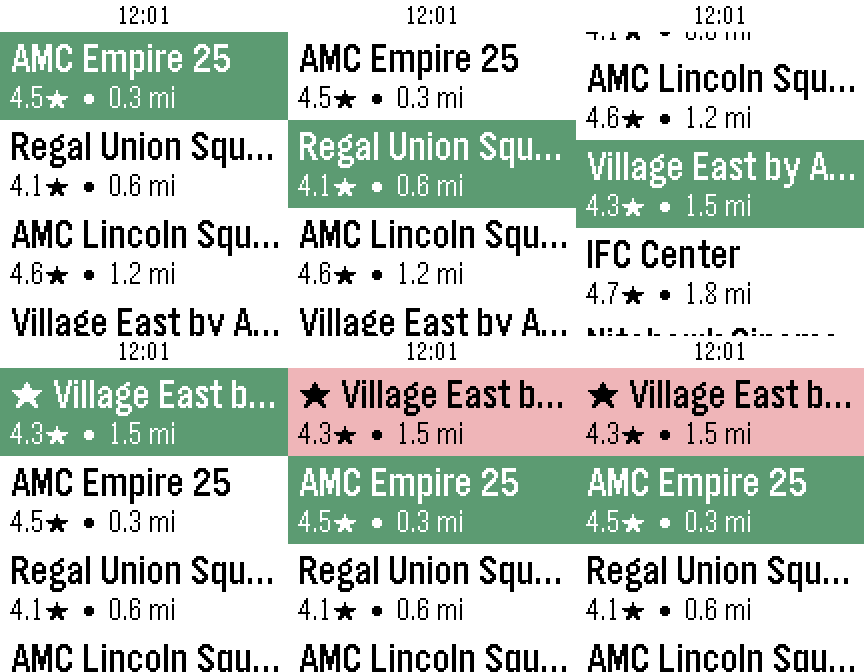
Wrote a PebbleOS watchapp that uses your phone’s GPS location to pull up nearby movie theaters, what’s playing today, showtimes, and IMDb ratings right on your watch.

Nearby theaters list Movies playing at a theater Movie showtimes Scrolling nearby theaters Opening movie showtimes Pinning a favorite theater
  • Long-press Select on any theater to pin it to the top as a persistent favorite (★)
  • Shake on the theater list to bypass cache and refresh showtimes
  • Supports both button navigation and swipe/tap navigation on touch-enabled Pebbles

GitHub: https://github.com/BigWebstas/PebbleMovieTimes

Built a two-way sync daemon and system tray app (for both Windows and Linux) that links a Google Keep checklist to a project in Super Productivity.

Since Google Keep has no public API for personal accounts, it uses gkeepapi with a master token and reconciles checklist items against Super Productivity’s Local REST API on 127.0.0.1:3876. Checking off, adding, or renaming an item on either side updates the other automatically.

GitHub: https://github.com/BigWebstas/SuperProd-Keep-Sync

Been doing a bunch of work in my fork of Super Productivity (and sending fixes upstream) to make the Android app, plugin system, and desktop REST bridge work much better for my daily workflow.

Super Productivity Banner Super Productivity Overview
  • Android widget improvements: show the currently tracked task directly in the home-screen widget, expire stale remote tracking rows, and allow stopping tracking without opening the app
  • Plugin API: exposed getAllSimpleCounters to iframe plugins so dashboard and habit plugins can read habit counters
  • Automations & sp-bridge: added task priority conditions/actions, REST API priority support, Today view routing for new tasks, and live API/sync status logging in sp-bridge

GitHub: https://github.com/BigWebstas/super-productivity

Forked the Goals Vision Board plugin for Super Productivity to fix cross-platform synchronization issues and add multi-page support.

The plugin now waits properly for the PluginAPI before loading and refreshes automatically when remote changes arrive, and you can add or remove multiple board pages in Edit mode while keeping a clean single-page default.

Vision Board Screenshot 1 Vision Board Screenshot 2

GitHub: https://github.com/BigWebstas/vision-board-super-productivity

Super Productivity’s super-sync-server only published a private container image upstream, so I set up an automated repository that builds it unmodified from upstream source and publishes a public Docker image to webstas/supersync.

Each build is tagged with latest, the upstream commit SHA, and the build date, paired with a clean docker-compose.yml ready to sit behind a reverse proxy with PostgreSQL 16.

GitHub: https://github.com/BigWebstas/SuperSync

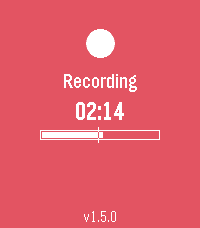
Created PebbleRecorder, a Pebble watchapp and companion Android app that turns your Pebble watch into a remote start/pause/stop trigger for recording audio on your phone.

Pressing a button on the watch starts recording AAC/M4A audio on the phone straight to a chosen folder—no need to touch or unlock the phone.

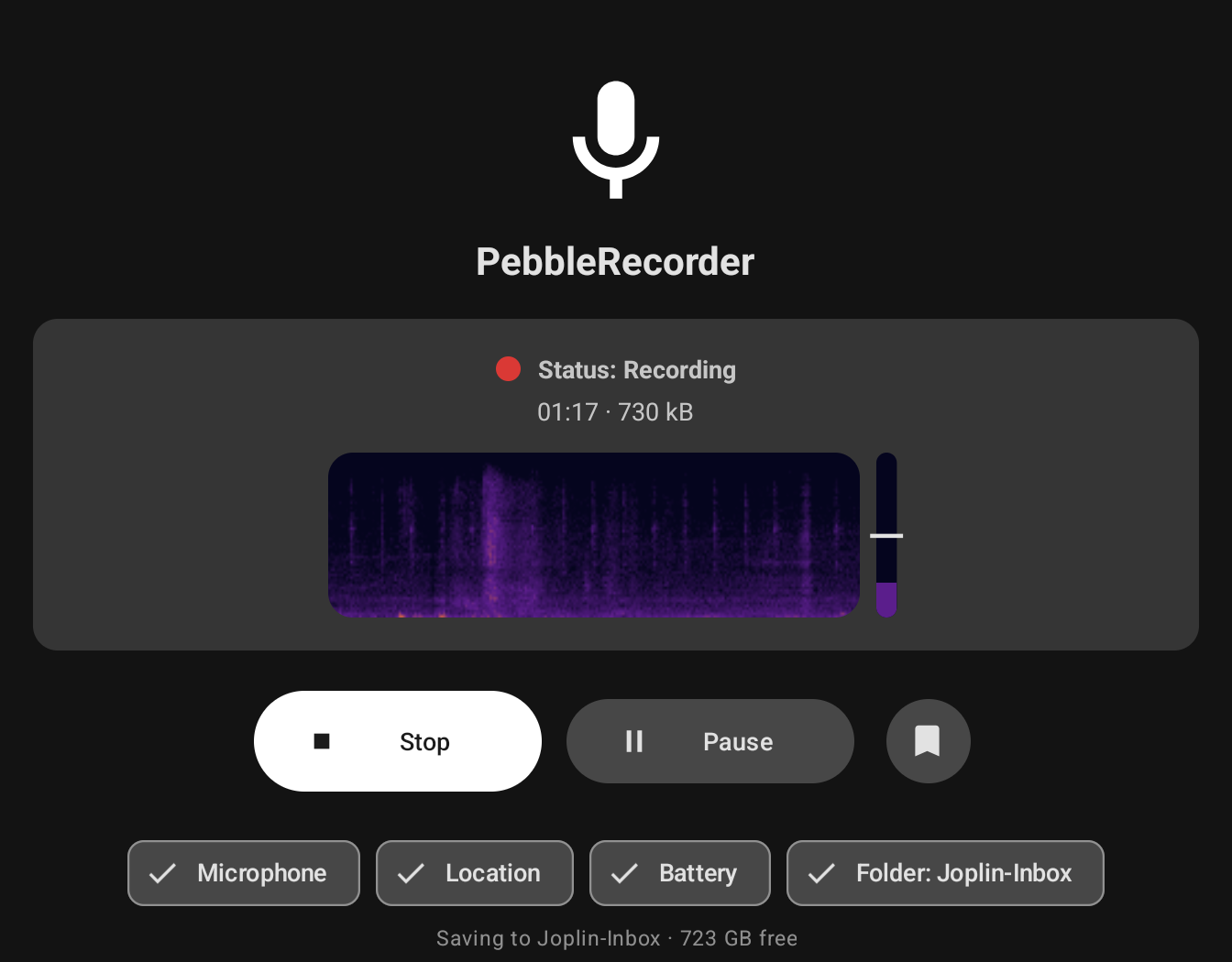
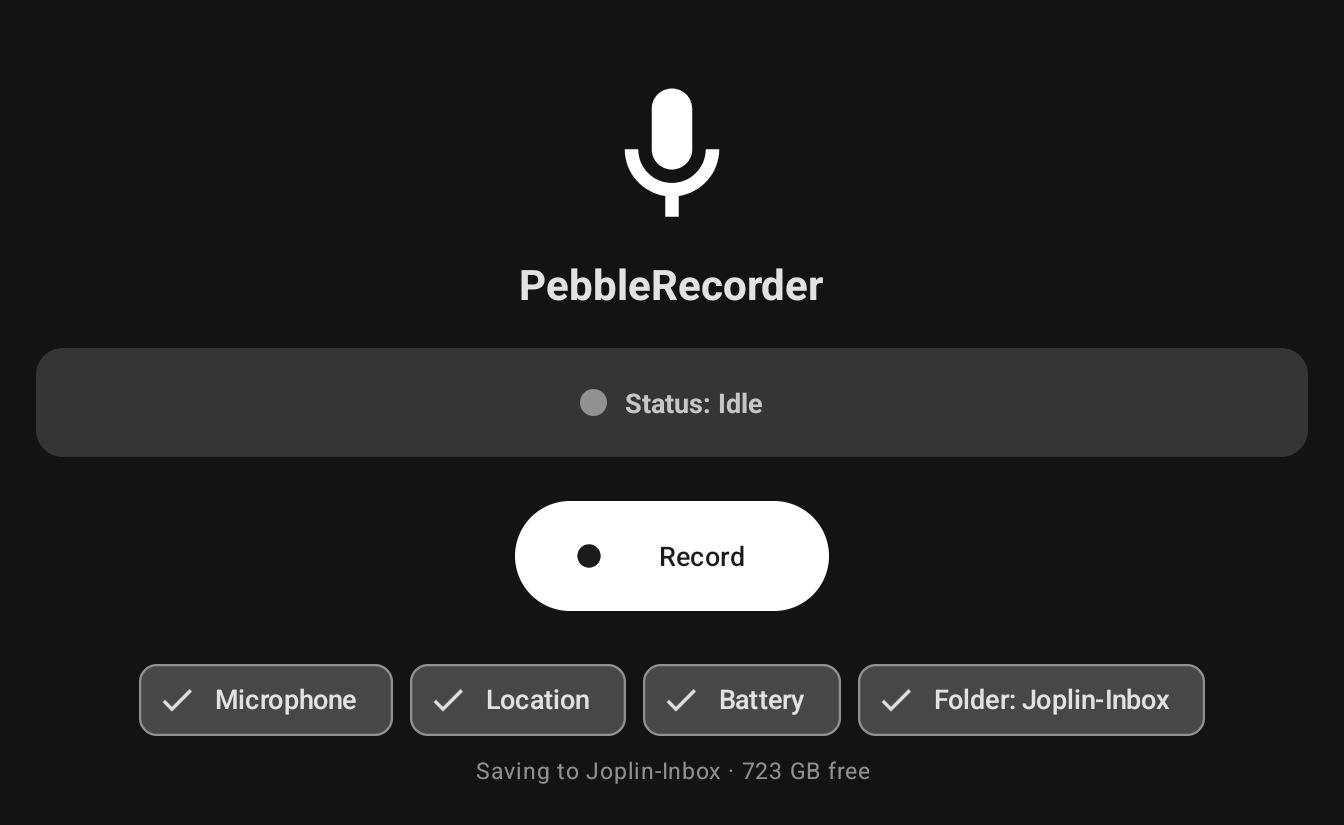
Watch app while recording Android app with live spectrogram Android app idle screen
  • Pebble C watchapp with an Idle → Recording → Paused state machine and live timer
  • Native Kotlin Android app with a live microphone spectrogram while recording
  • Optional Gemini transcription that saves a companion -txt.md file right next to each recording

GitHub: https://github.com/BigWebstas/PebbleRecorder

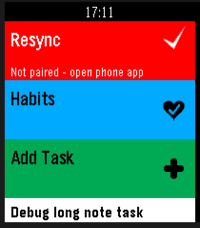
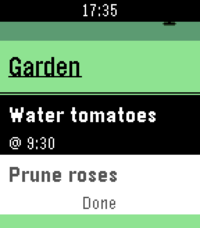
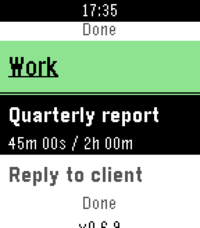
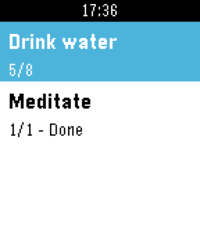
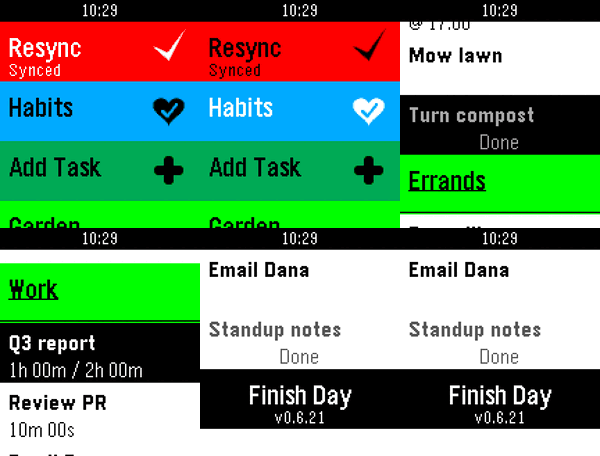
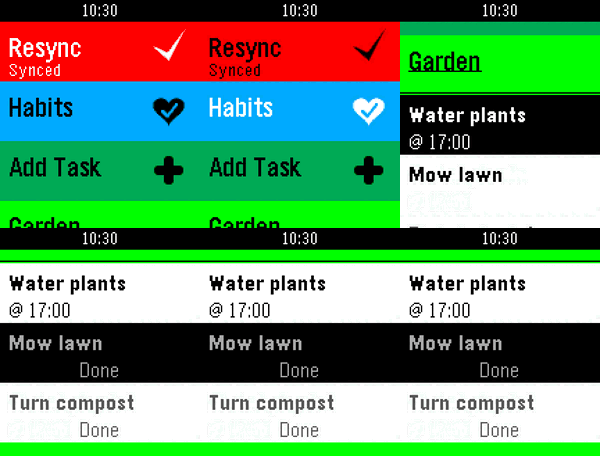
Built a PebbleOS watchapp for Super Productivity so I can manage my active tasks and habits straight from my wrist without pulling out my phone.

It syncs directly through Super Productivity’s SuperSync server and supports Pebble Time, Pebble 2, Pebble Time Round, and Pebble Time 2.

Pinned action rows Grouped task list Time tracking Habits tracker Scrolling tasks Marking task complete
  • View active tasks optionally grouped by project and mark them done from the watch
  • Start and stop task time tracking on the wrist
  • Dictate new tasks by voice using the watch microphone
  • Track and toggle daily habits synced with Super Productivity

GitHub: https://github.com/BigWebstas/PebbleSuperProductivity

Built a desktop plugin for Super Productivity that syncs each project’s notes into a matching Joplin notebook so I can read and search all my project notes right alongside the rest of my Joplin vault.

It talks to Joplin’s local Web Clipper REST API on 127.0.0.1 using Super Productivity’s nodeExecution bridge.

Joplin Notes Sync Icon
  • Automatically mirrors Super Productivity project notes into a configurable parent notebook in Joplin
  • Optional sync for individual task notes as well
  • Configurable auto-sync interval, archive-vs-delete behavior, and project icon/color syncing

GitHub: https://github.com/BigWebstas/SuperProd-Joplin-Sync