Built DND Quiet Time Sync, a Pebble watchapp and companion Android app that syncs Pebble’s Quiet Time state into Android’s Do Not Disturb mode.

To prevent the watch and phone from fighting each other in a feedback loop, it uses clean one-way sync where Pebble Quiet Time is the source of truth and an Android NotificationListenerService mirrors changes into phone DND.

DND Quiet Time Sync Icon

GitHub: https://github.com/BigWebstas/PebbleDNDQuietTime

Since Amazon doesn’t offer a buyer-facing API, I built a self-hosted, Dockerized Telegram bot (powered by amazon-orders and SQLite) that polls my Amazon account for order, shipment, and transaction updates and posts them to Telegram.

I also reverse-engineered Amazon’s returns walkthrough so the bot can track return statuses and deliver return drop-off QR codes directly to a dedicated Telegram returns chat.

GitHub: https://github.com/BigWebstas/Telegram-Amazon-Orders-Returns

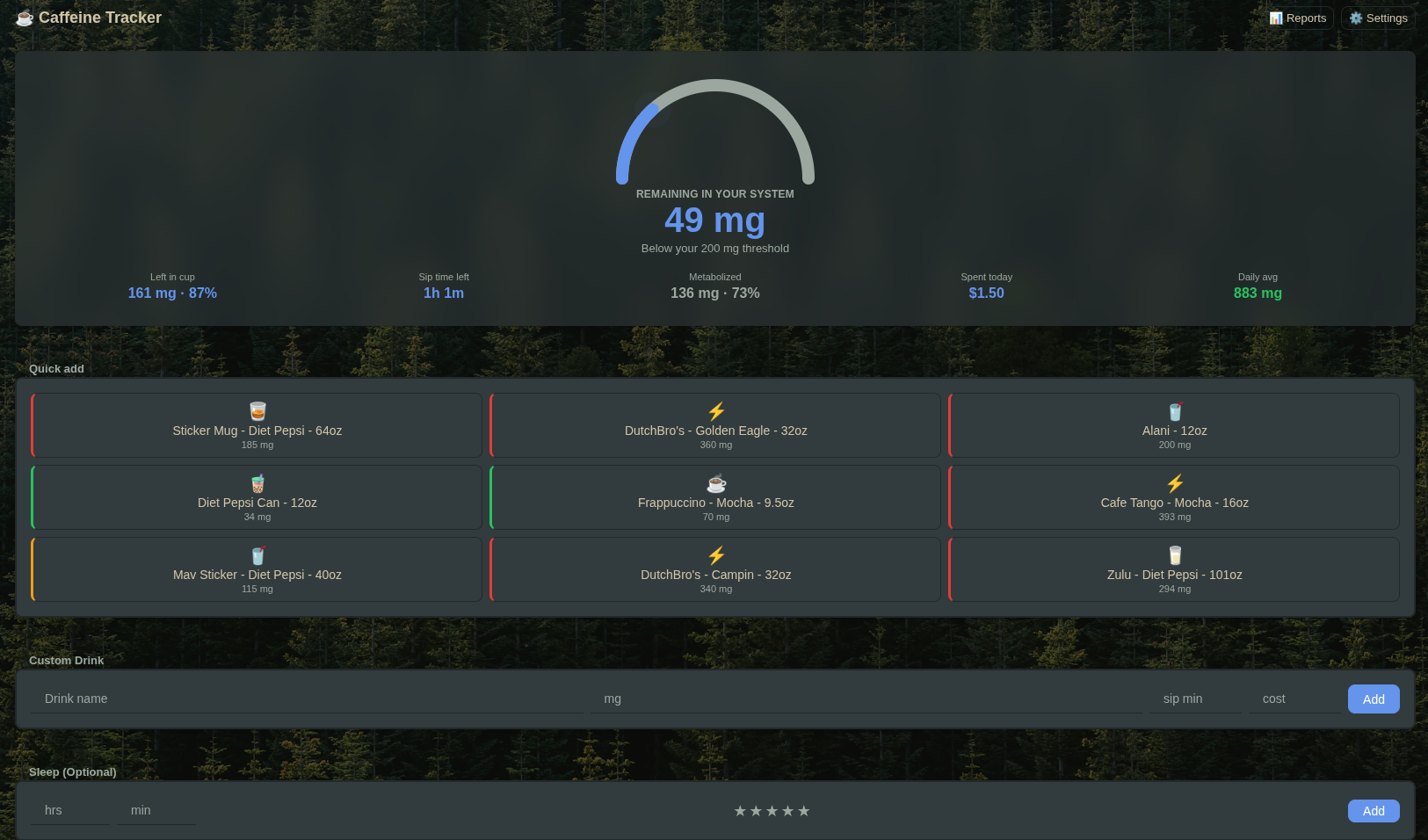
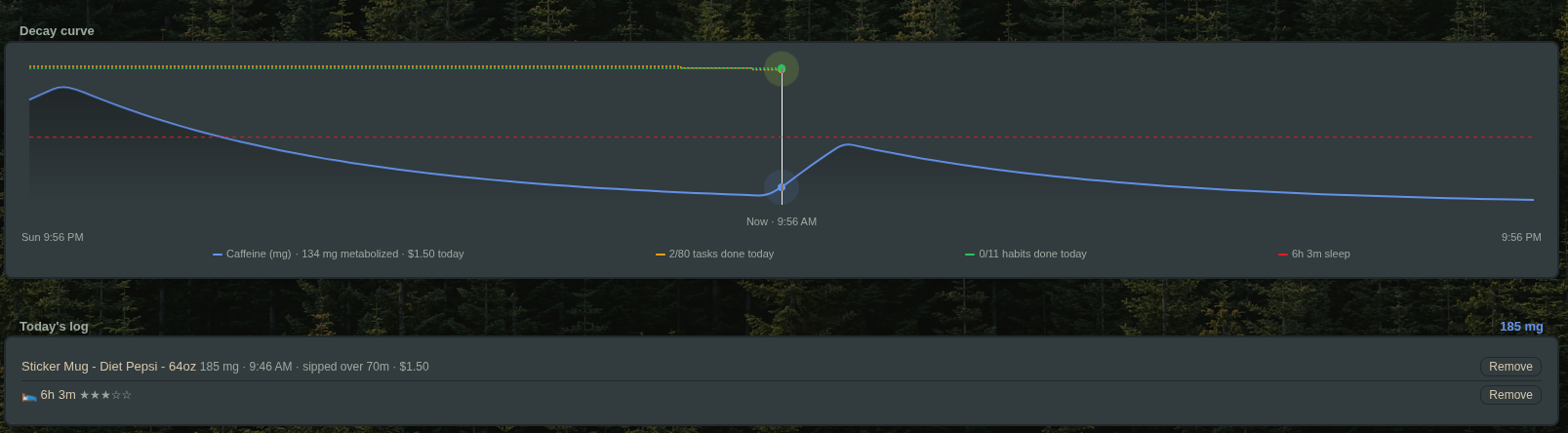
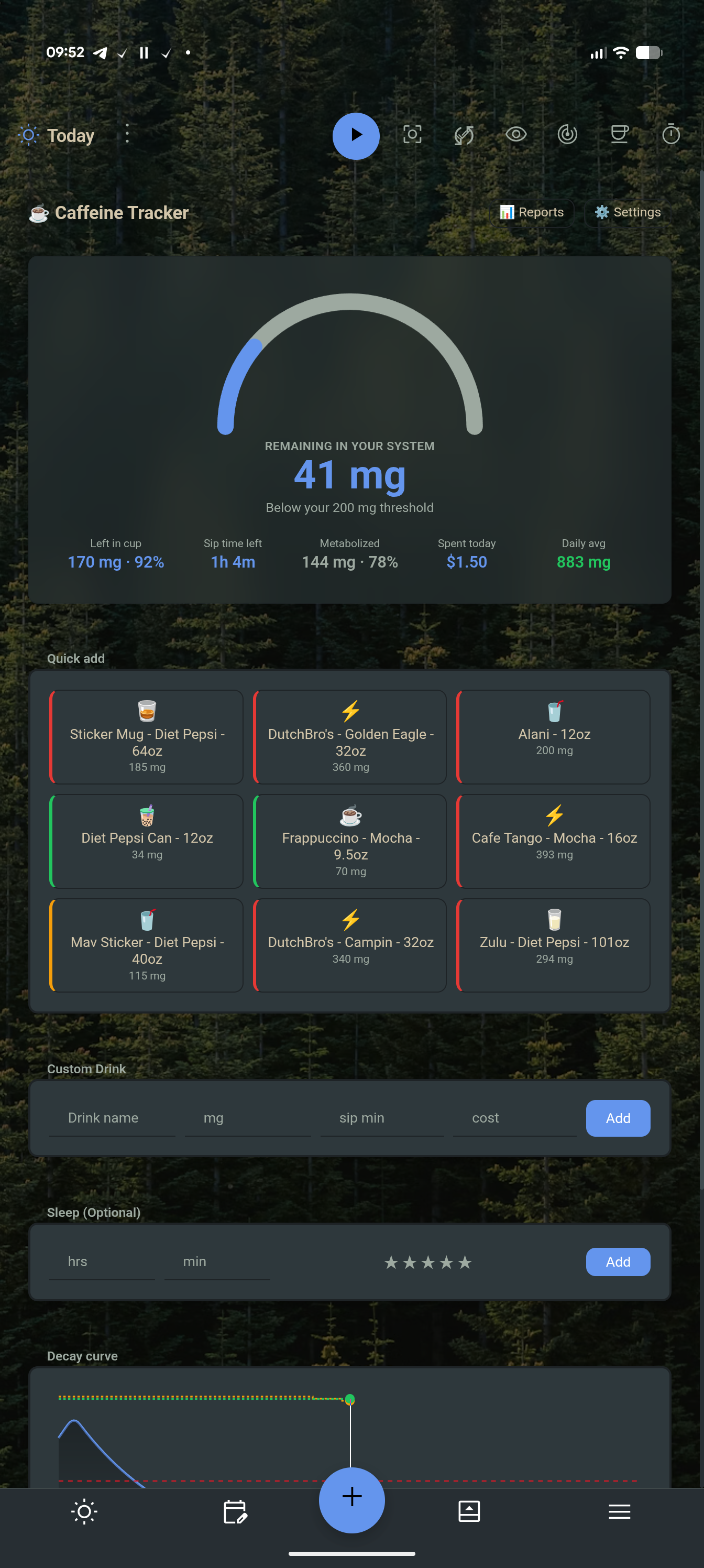
Built a Caffeine Tracker plugin for Super Productivity that logs daily caffeine intake, tracks drink costs and sleep, and models blood caffeine decay over the day using a pharmacokinetic half-life simulation.

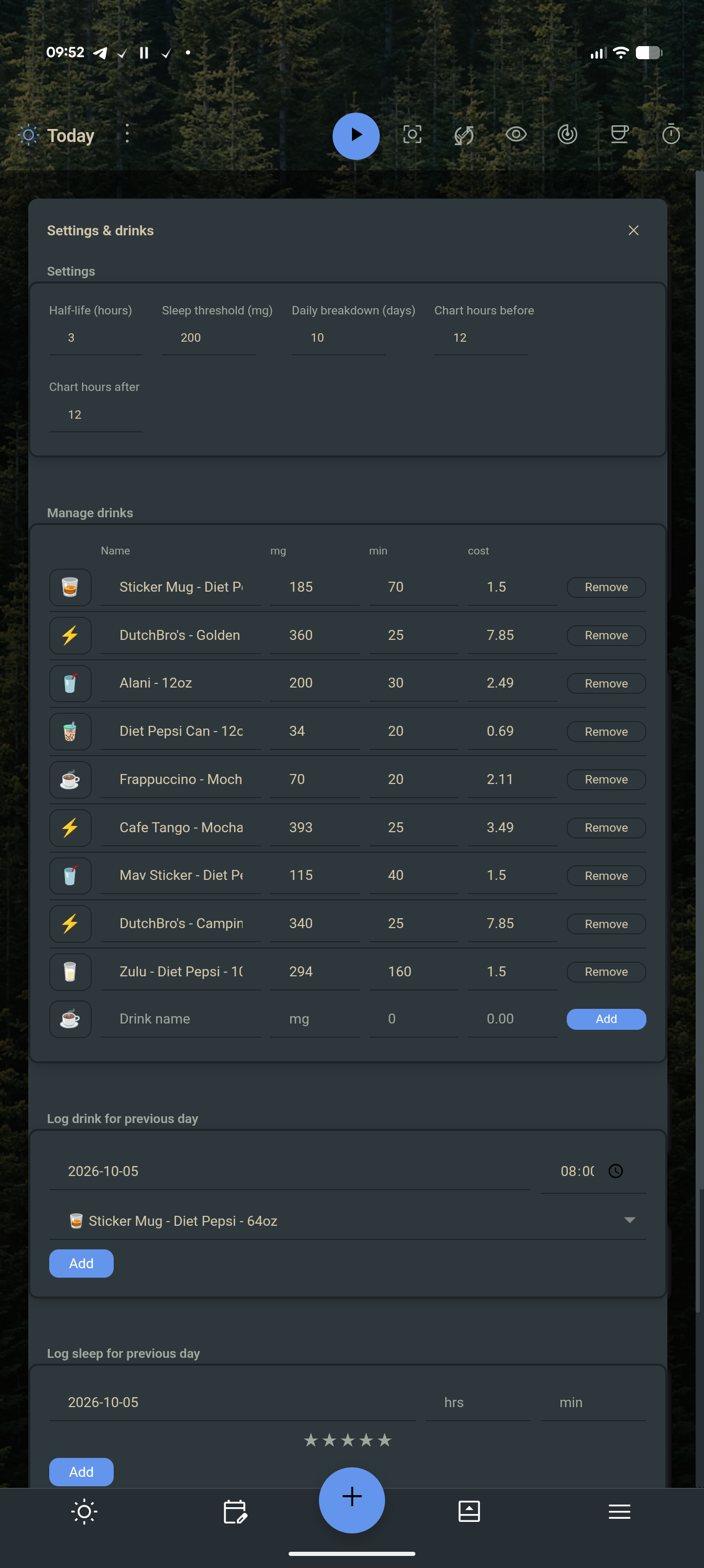
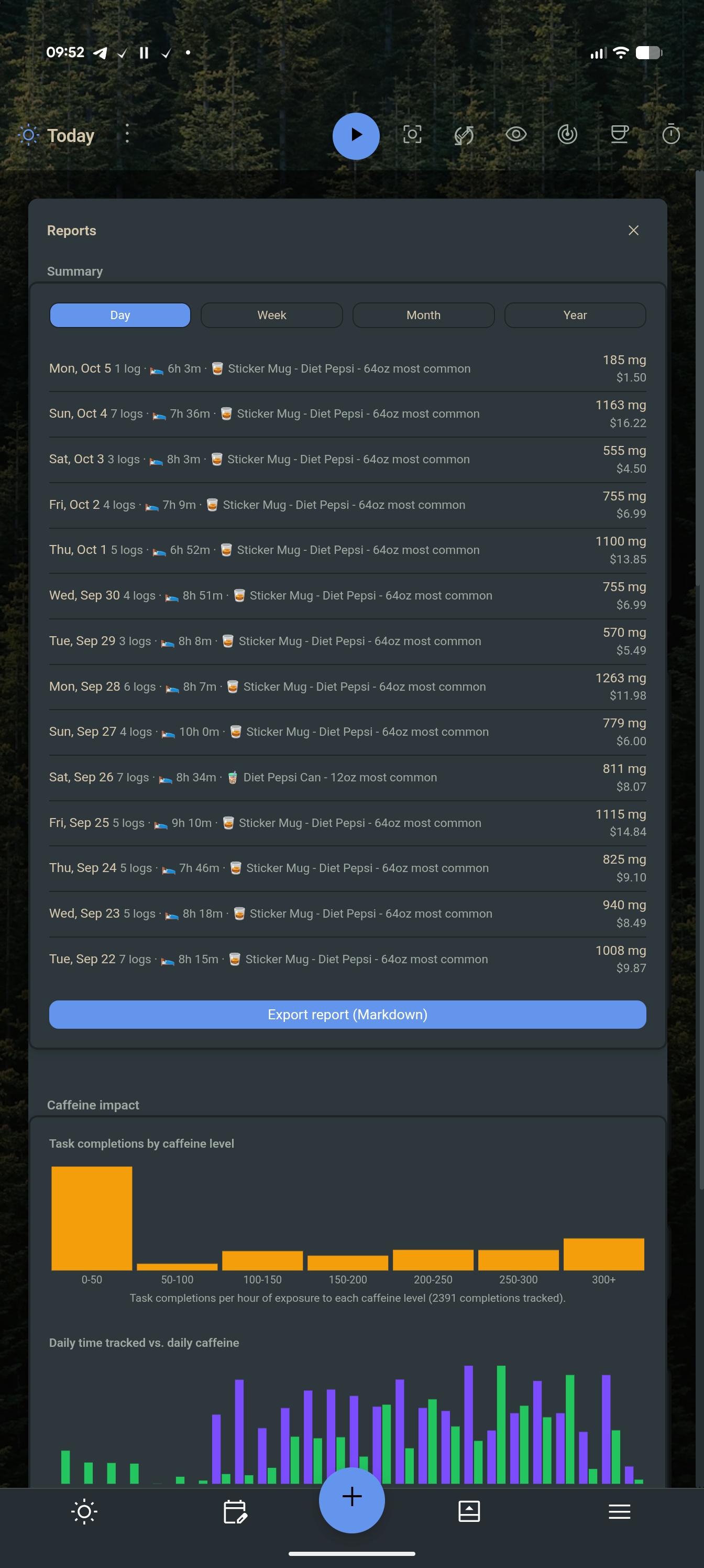
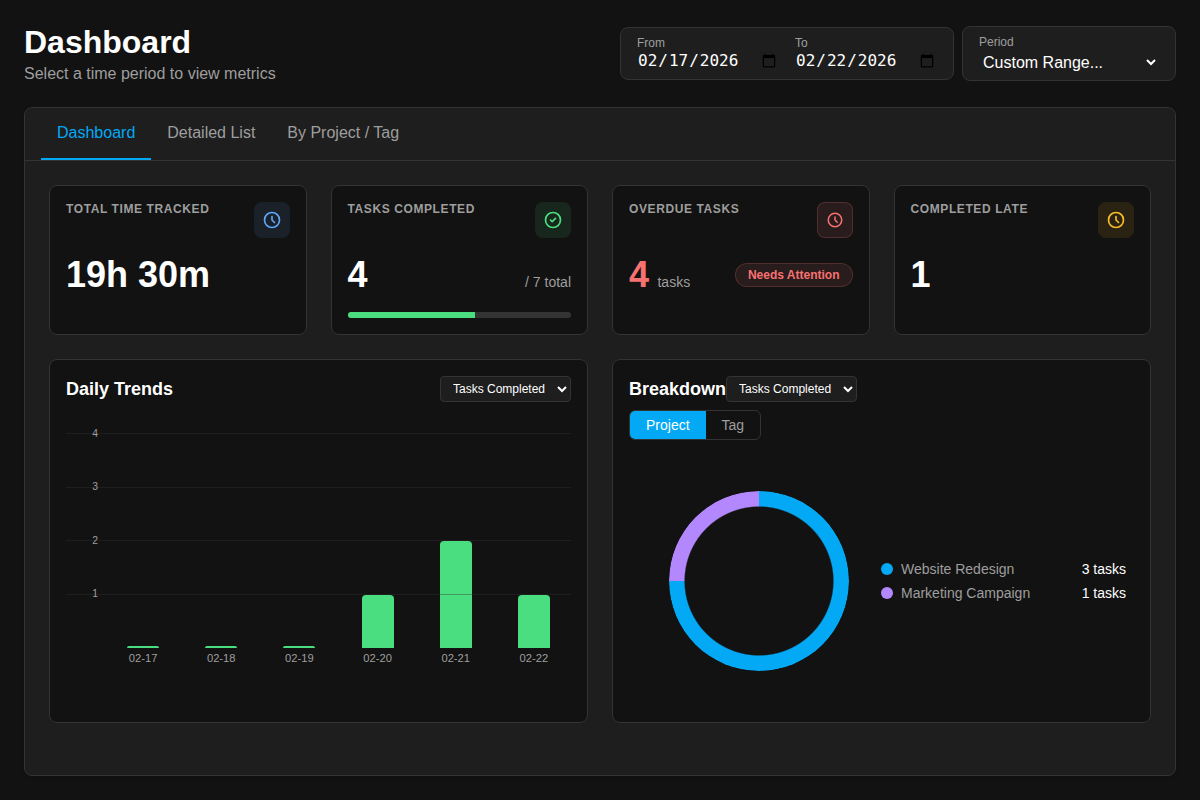
Caffeine Tracker Desktop Gauge & Log Caffeine Decay Curve & Burndown Chart Mobile Gauge View Mobile Settings & Drink Presets Mobile Reports Summary
  • Live gauge showing mg left in cup, sip time remaining, active blood caffeine level, daily average, and money spent today
  • Interactive decay curve overlaid with your Super Productivity task and habit burndown so you can see how caffeine correlates with your output
  • Custom drink presets with cost tracking, past-day logging, and mobile/desktop summary reports

GitHub: https://github.com/BigWebstas/sp-caffeine-tracker

Released v1.8.1 of SP AI Assistant Plugin on GitHub.

Release Notes

  • Theme colors in the AI Assistant panel now automatically follow Super Productivity’s active host light/dark palette.
  • Includes full support for Anthropic Claude, Google Gemini, and OpenAI providers with a model picker and Material icon.

AI Assistant Plugin v1.8.1

Installation

  • Download ai-assistant-plugin.zip
  • In Super Productivity, go to Settings → Plugins
  • Click “Install from file” and select the downloaded zip

Changes

See commit history for details.

Downloads

Release page: https://github.com/BigWebstas/ai-assistant-gemini-claude-plugin/releases/tag/v1.8.1
Repository: https://github.com/BigWebstas/ai-assistant-gemini-claude-plugin

Updated my fork of the bidirectional Super Productivity + Home Assistant Bridge plugin and integration with UI and configuration improvements, including real Super Productivity CSS theme variables, a dropdown contrast fix across light/dark modes, and opt-in token synchronization.

HA Super Productivity Bridge Icon

GitHub: https://github.com/BigWebstas/ha-super-productivity

Extended the AI Assistant plugin for Super Productivity (v1.8.0 / v1.8.1) so it isn’t limited to OpenAI anymore—you can now switch between Anthropic Claude, Google Gemini, and OpenAI right in the plugin settings.

AI Assistant Plugin Icon
  • Added full multi-round agentic tool calling for Claude and Gemini alongside OpenAI
  • Added a model picker, Material icon, and updated the UI styling so plugin colors automatically follow Super Productivity’s active host theme palette

GitHub: https://github.com/BigWebstas/ai-assistant-gemini-claude-plugin

Released v1.0.0 of PebbleUTA on GitHub.

Release Notes

  • First tagged release (v1.0.0) of PebbleUTA and the GTFS/GTFS-RT proxy.
  • Added auto-refresh, pull-to-refresh with a Refreshing... status bar, offline indicator banner, pinned Favorites section, and next-arrival launcher glance subtext.

Full Changelog: https://github.com/BigWebstas/PebbleUTA/commits/v1.0.0

Release page: https://github.com/BigWebstas/PebbleUTA/releases/tag/v1.0.0
Repository: https://github.com/BigWebstas/PebbleUTA

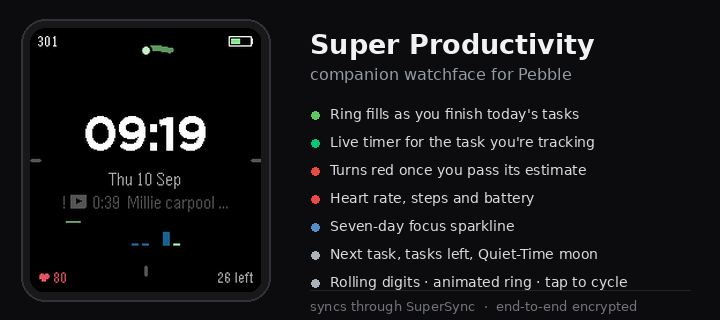
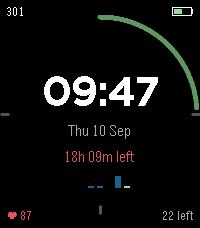
To pair with my Pebble Super Productivity watchapp, I built a dedicated Super Productivity Companion Watchface with its own trimmed SuperSync client so my daily progress is always visible at a glance.

Super Productivity Watchface Banner Pebble Time 2 Watchface Pebble Time Round Watchface Pebble Time Watchface
  • Time and date framed by a progress ring that fills as you complete today’s planned tasks
  • 7-day work sparkline showing minutes tracked over the past week
  • Top and bottom status strips for steps, battery, Bluetooth state, heart rate, habits completed today, and remaining tasks
  • Wrist-tap cycles the bottom status line through next scheduled task, completed count, time worked, estimated time remaining, and habit streaks (or shows the live running task timer)

GitHub: https://github.com/BigWebstas/PebbleSuperProductivityFace