WordOfTheDay WordOfTheDay WordOfTheDay WordOfTheDay WordOfTheDay WordOfTheDay

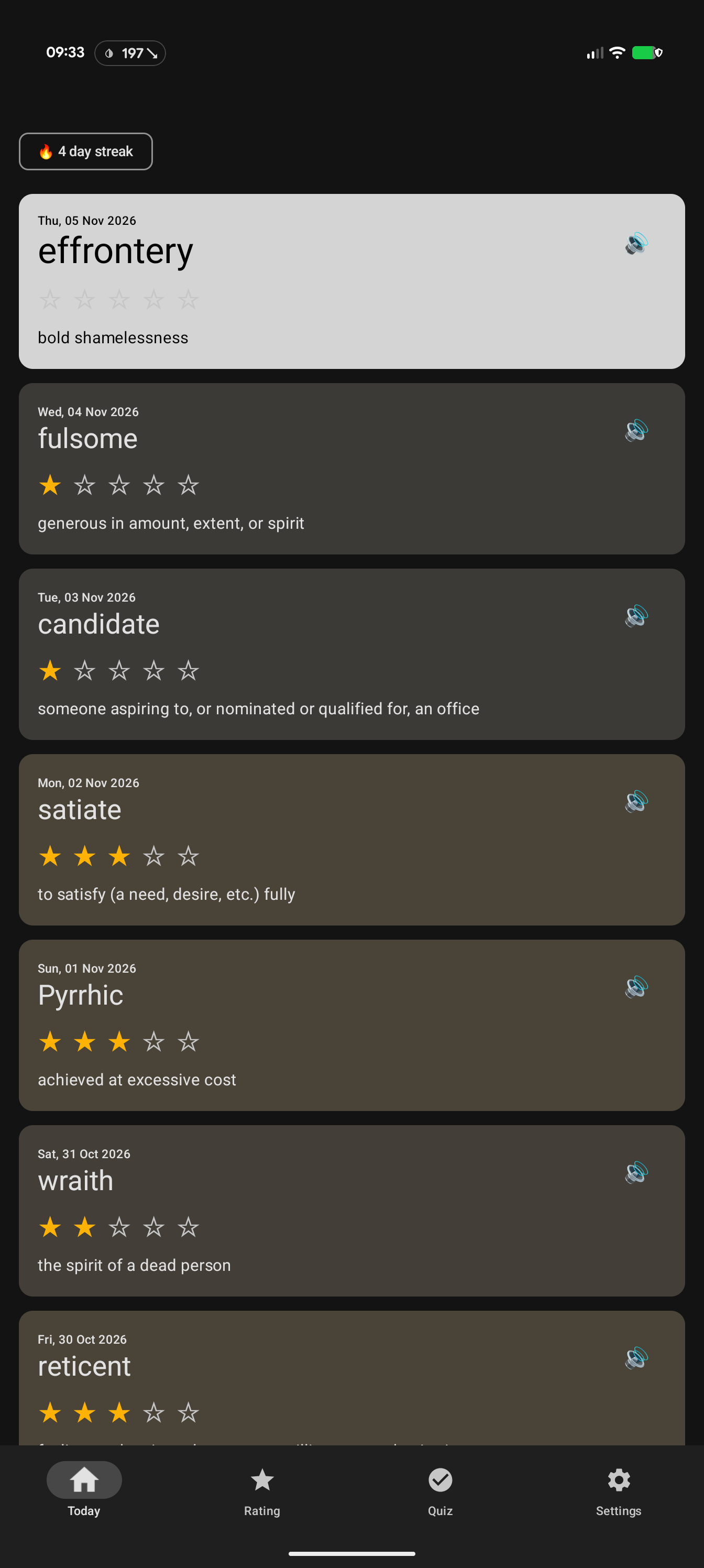
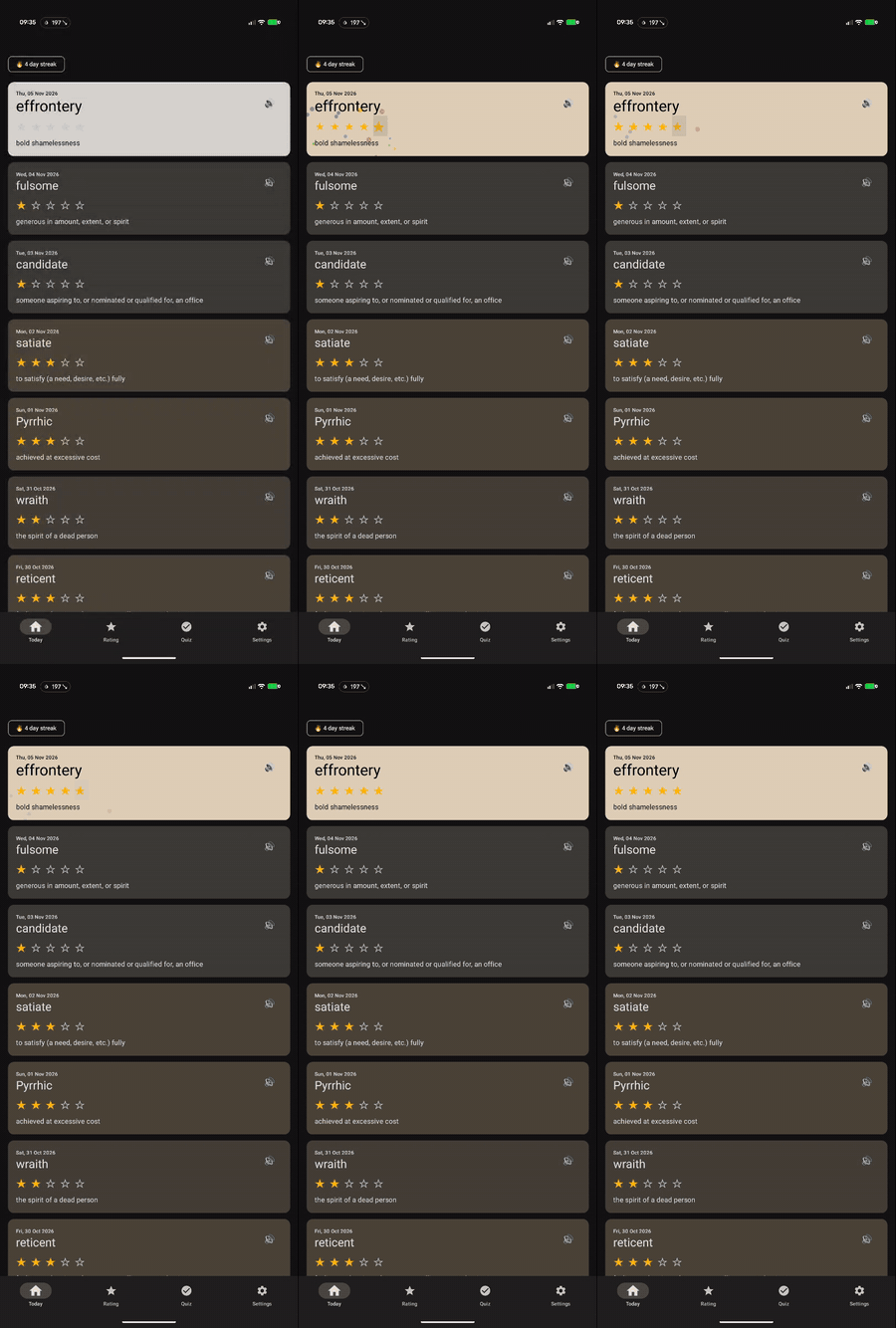
Native apps showing Merriam-Webster’s Word of the Day from https://www.merriam-webster.com/wotd/feed/rss2. Every word is archived on the device, so the full history stays available offline.

  • Android (Kotlin, Compose): the full app, described below
  • iOS (SwiftUI, iOS 16+): Today and Saved tabs, with the same local archive
  • Pebble (C watchapp + PebbleKit JS): rate words from your wrist; ratings sync with the Android app

Android

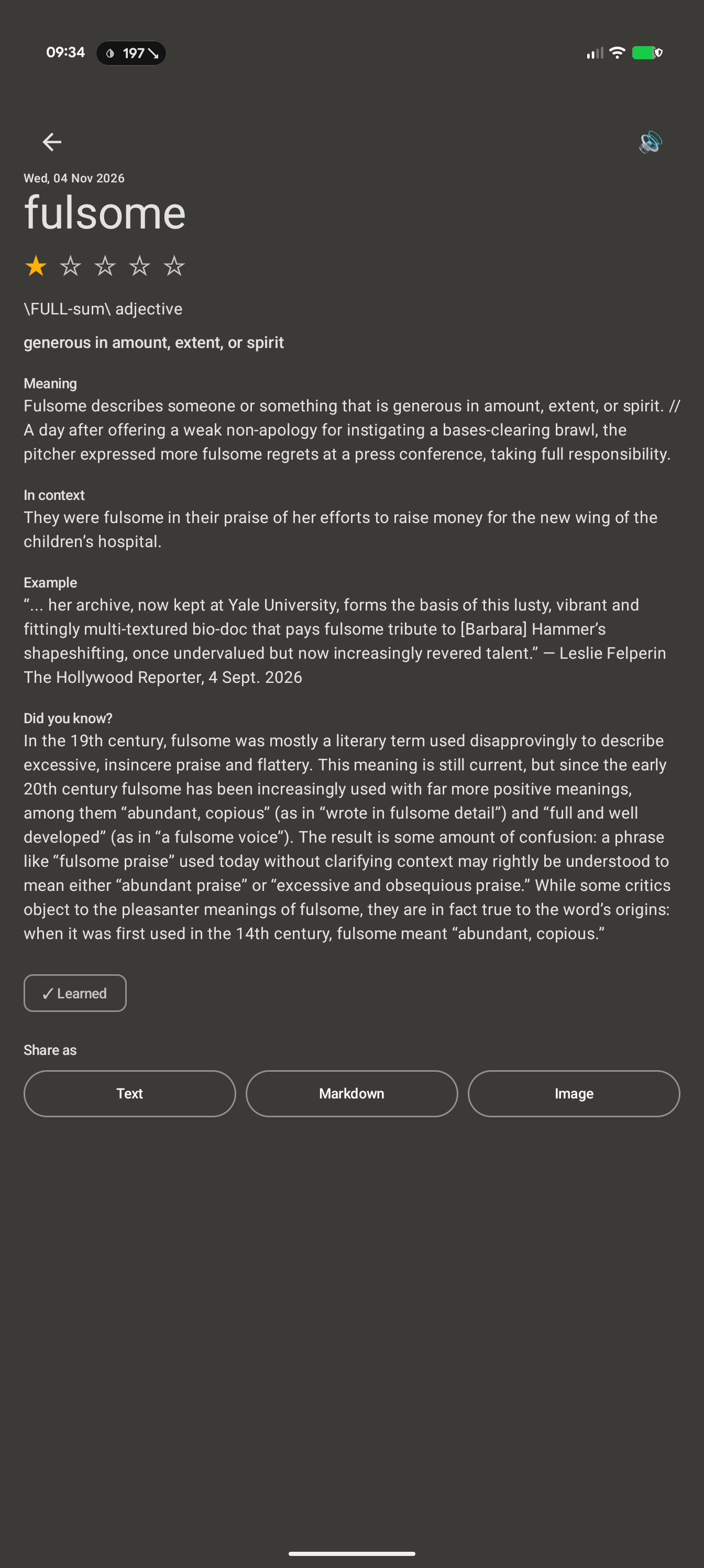
  • Today: the newest word as a highlighted card above the archive, with a day streak, pull to refresh and a skeleton while loading. Tap a card to open the full entry, with meaning, usage, examples and “Did you know?”.
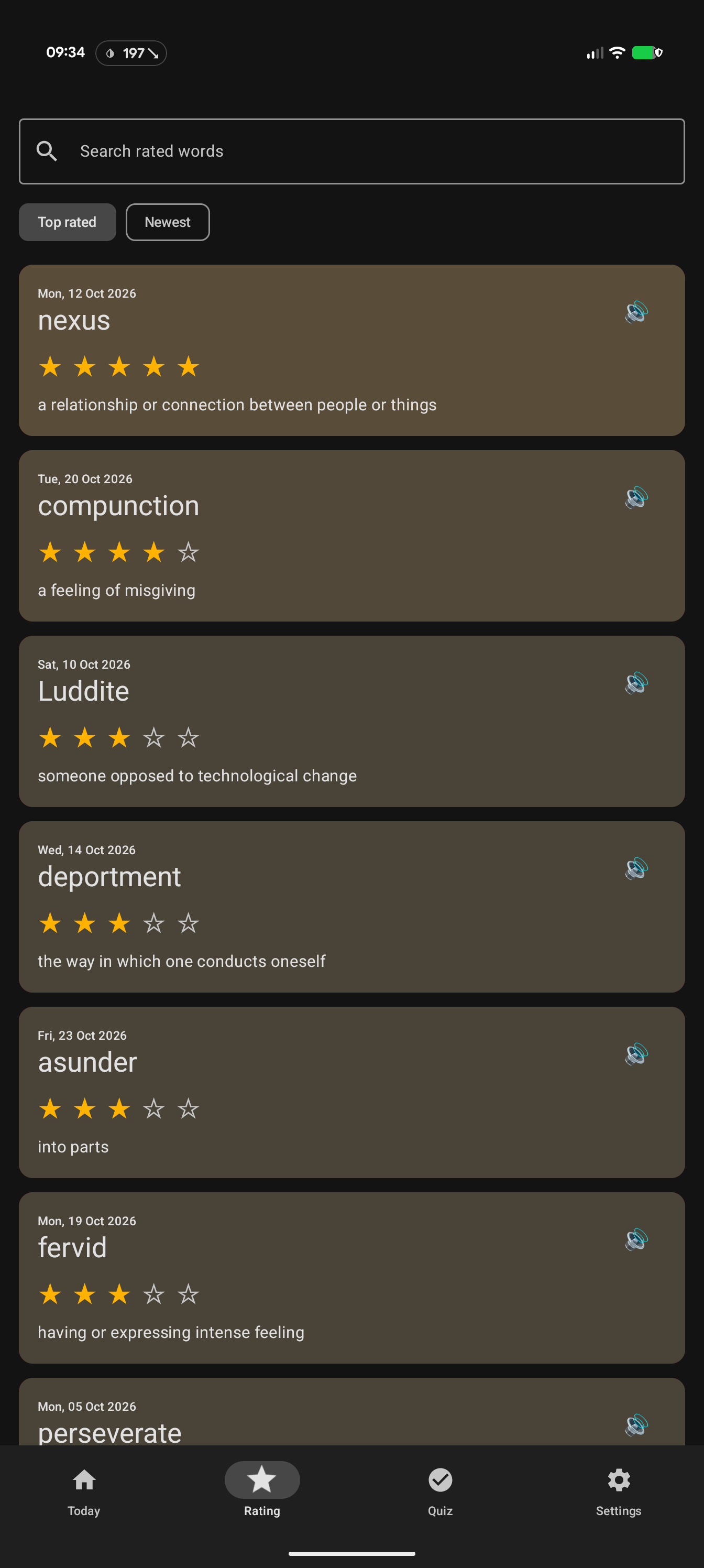
  • Rating: rate words from one to five stars, then search them or sort by top rated or newest. Swipe a word away to remove its rating, with undo.
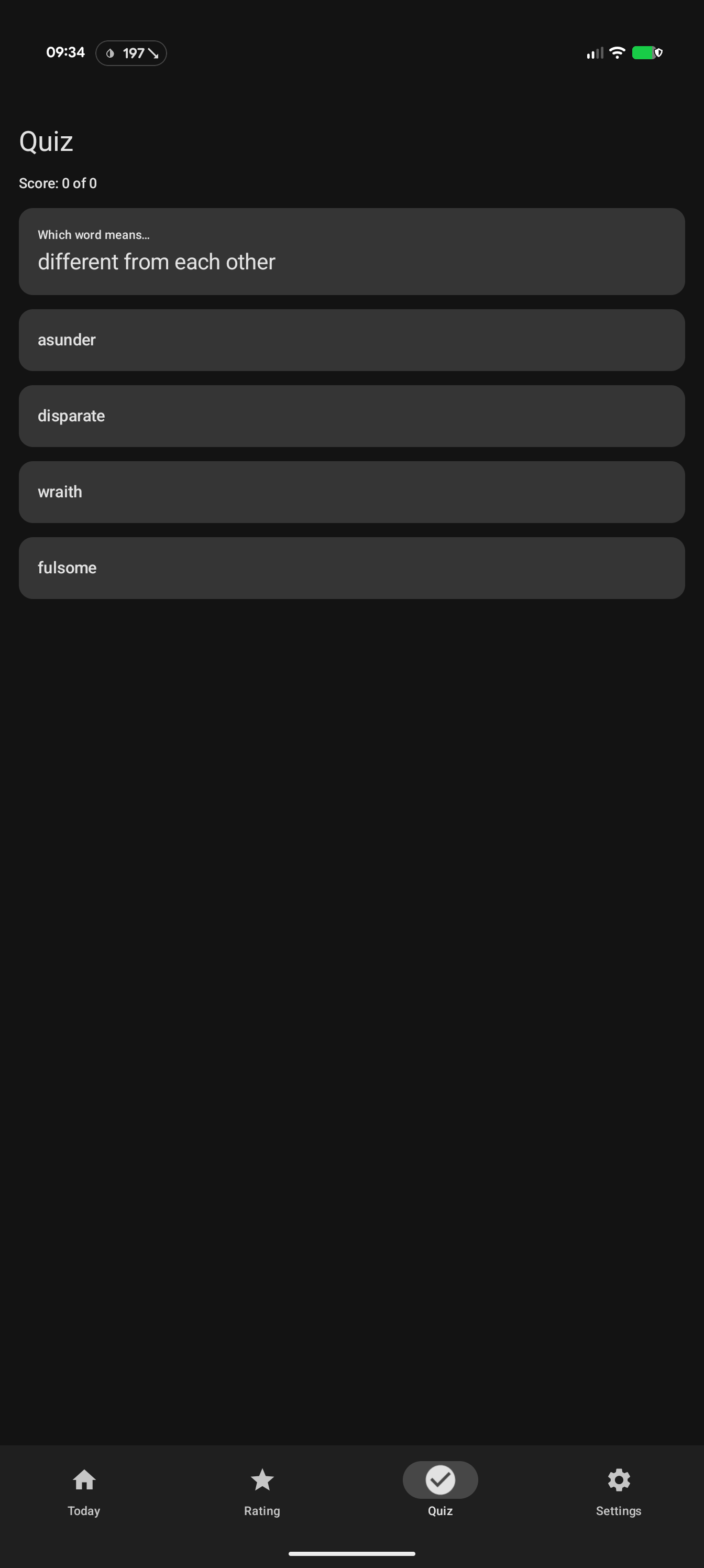
  • Quiz: “which word means…” questions, weighted towards the words you miss. Mark words as learned to stop seeing them.
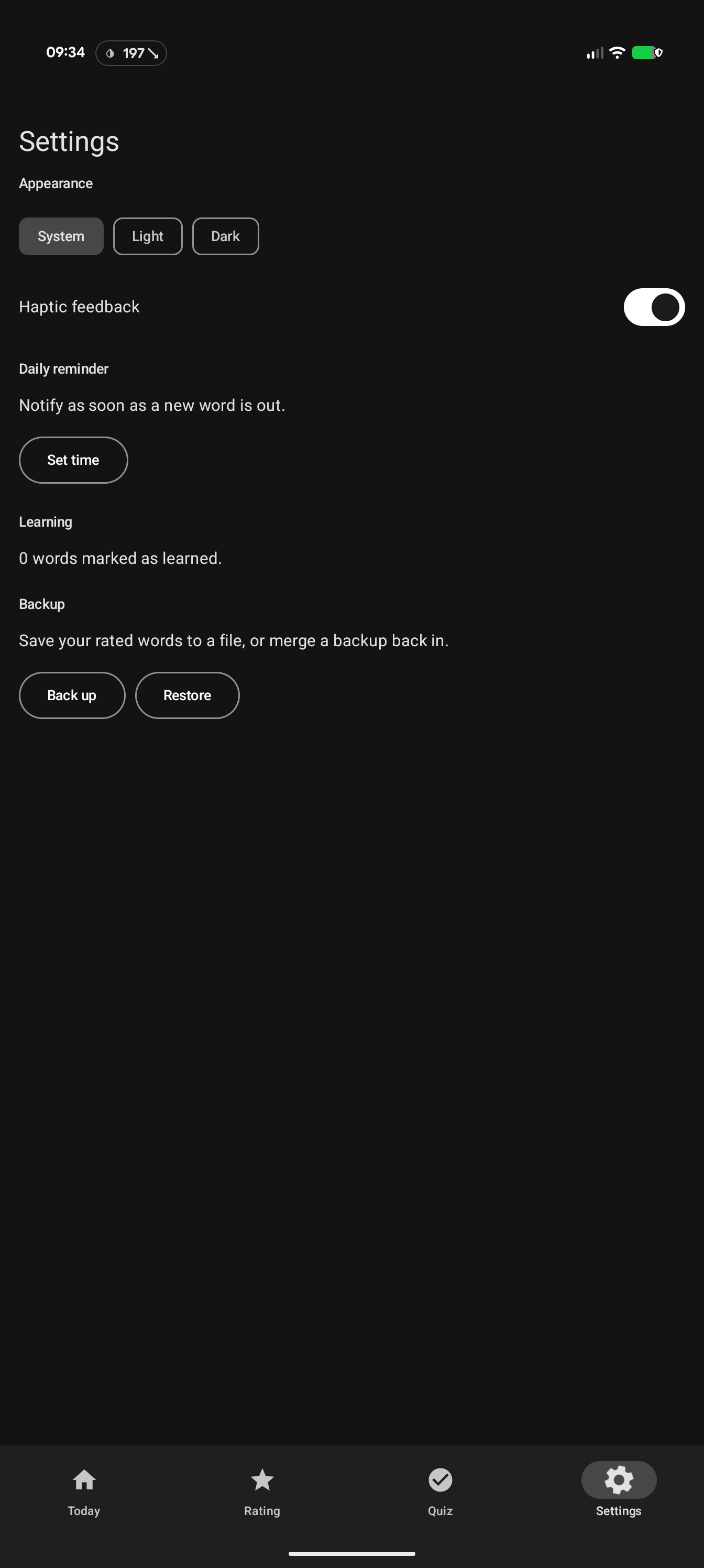
  • Settings: theme (system, light or dark), haptics, a daily reminder time, and backup and restore of your ratings.
  • Share a word as text, Markdown or an image card.
  • Widget for the home screen, with its own theme, size, opacity and tap action.
  • Pronunciation audio on every card.

Animations

Stars pop as you rate, with confetti at five. A card expands into its detail screen and shrinks back. Swiping a rated word away collapses its row, and Undo slides it back in.

Pebble

GitHub: https://github.com/BigWebstas/WordOfTheDay

Built Snapshot Trip Reviewer, an Android accessibility helper for reviewing trips in the Progressive Snapshot app without needing root or private APIs.

It opens Progressive → Snapshot → Trips, scrolls through recent trips, and automatically switches drives with flagged events to Passenger mode (or opens the transit mode picker so you can choose and save before moving to the next trip), complete with a floating Stop/Return overlay.

Snapshot Trip Reviewer Light Theme Snapshot Trip Reviewer Dark Theme Floating Stop and Return Controls

GitHub: https://github.com/BigWebstas/Progressive-Snapshotter-releases

Designed a Google Material 3 (Material You) theme suite for Super Productivity following the official M3 color, elevation, and shape specifications.

  • Authentic M3 tonal surface hierarchy replacing heavy drop shadows with tonal surface containers
  • 14px rounded task cards, 16px squircle floating action buttons, 28px full-pill navigation drawer indicators, and pill search/add-task bars
  • M3 state layer opacities and cubic-bezier easing curves across light and dark palettes

GitHub: https://github.com/BigWebstas/SuperProd_Google_Mat3_Theme

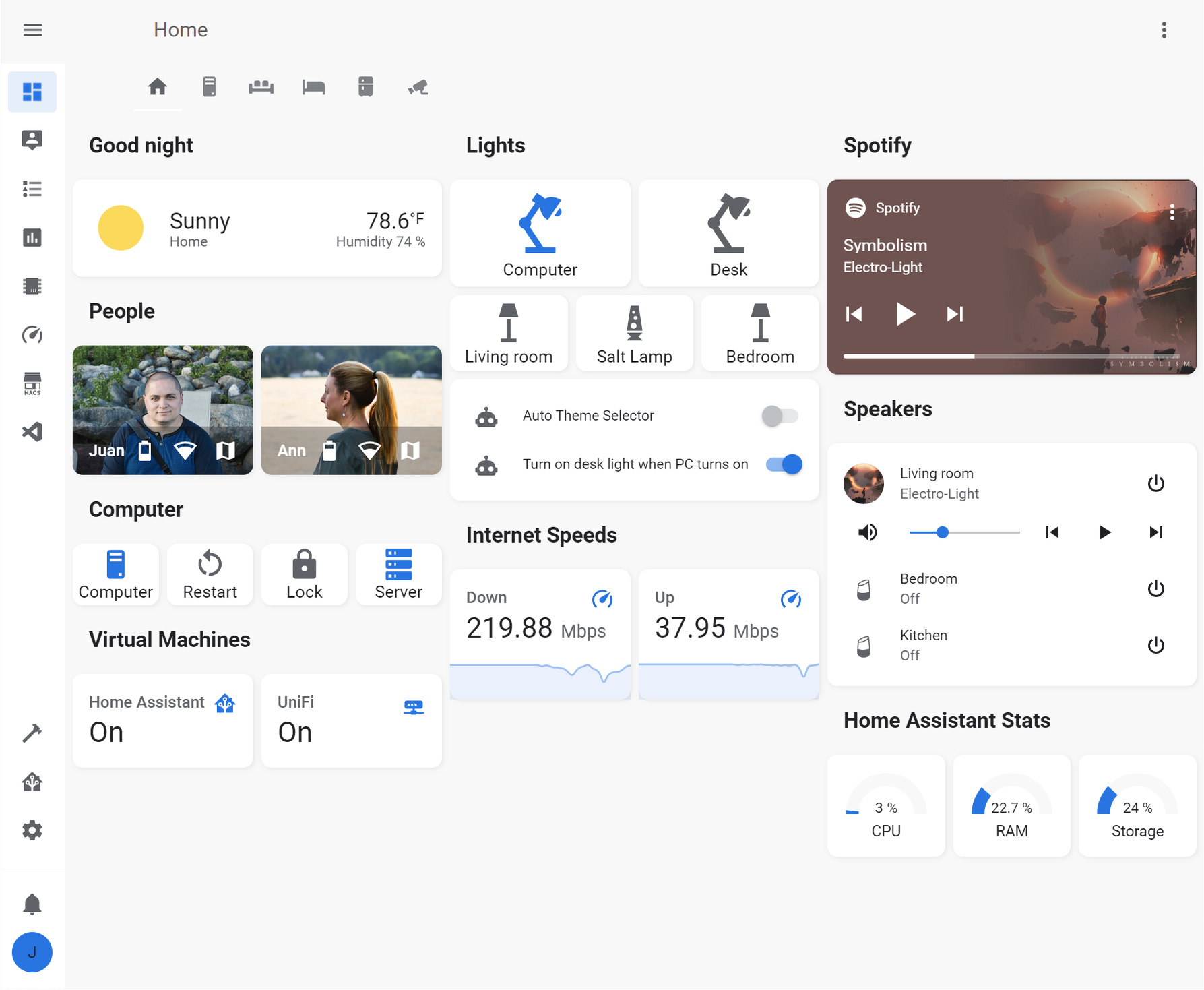
Released v2.13.0 of TileBoard on GitHub.

Release Notes

Features

  • Google theme: now the Pixel / Material 3 look of BigWebstas/google-theme: 28px rounded cards without borders and tonal surfaces. CUSTOM_THEMES.GOOGLE is dark only now; CUSTOM_THEMES.GOOGLE_DARK is kept as an alias.

Fixes

  • Old browsers and tablets: Chart.js 4 and hls.js 1.7 ship modern JavaScript that was bundled untranspiled, which left old Android WebViews (for example Amazon WebView 59 in Fully Kiosk on Fire tablets) with a blank page. Those packages are now transpiled and the bundle parses as ES5 again.
  • History charts on old WebViews: fall back to the window resize event where ResizeObserver is missing (Chrome below 64).

Performance

  • State changes from Home Assistant are applied immediately, but the dashboard re-renders at most once per animation frame, and not while the page is hidden.

The release zip contains the built app plus config.example.js.

Downloads

Release page: https://github.com/BigWebstas/TileBoard/releases/tag/v2.13.0
Repository: https://github.com/BigWebstas/TileBoard

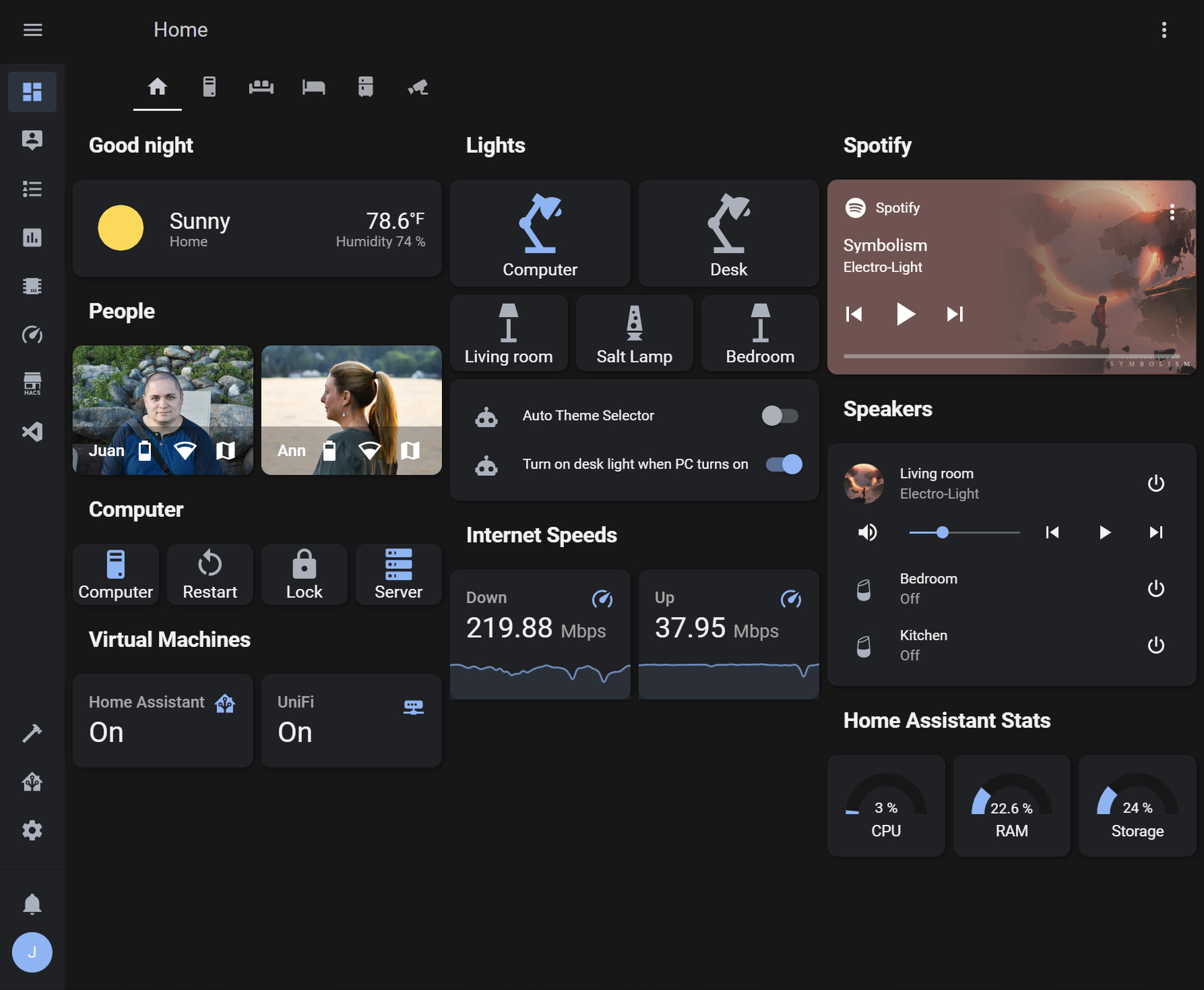
Released v1.6 of Google Material 3 Theme (HA) on GitHub.

Release Notes

Pixel / Material 3 look.

  • 28px card and dialog corners, no card borders
  • Tonal surfaces: tinted page background with contrasting cards (light and dark)
  • Material 3 blue palette (#0b57d0 light, #a8c7fa dark)
  • Google Sans font stack with Roboto fallback, medium-weight headings
  • Visible soft divider in light mode

Release page: https://github.com/BigWebstas/google-theme/releases/tag/v1.6
Repository: https://github.com/BigWebstas/google-theme

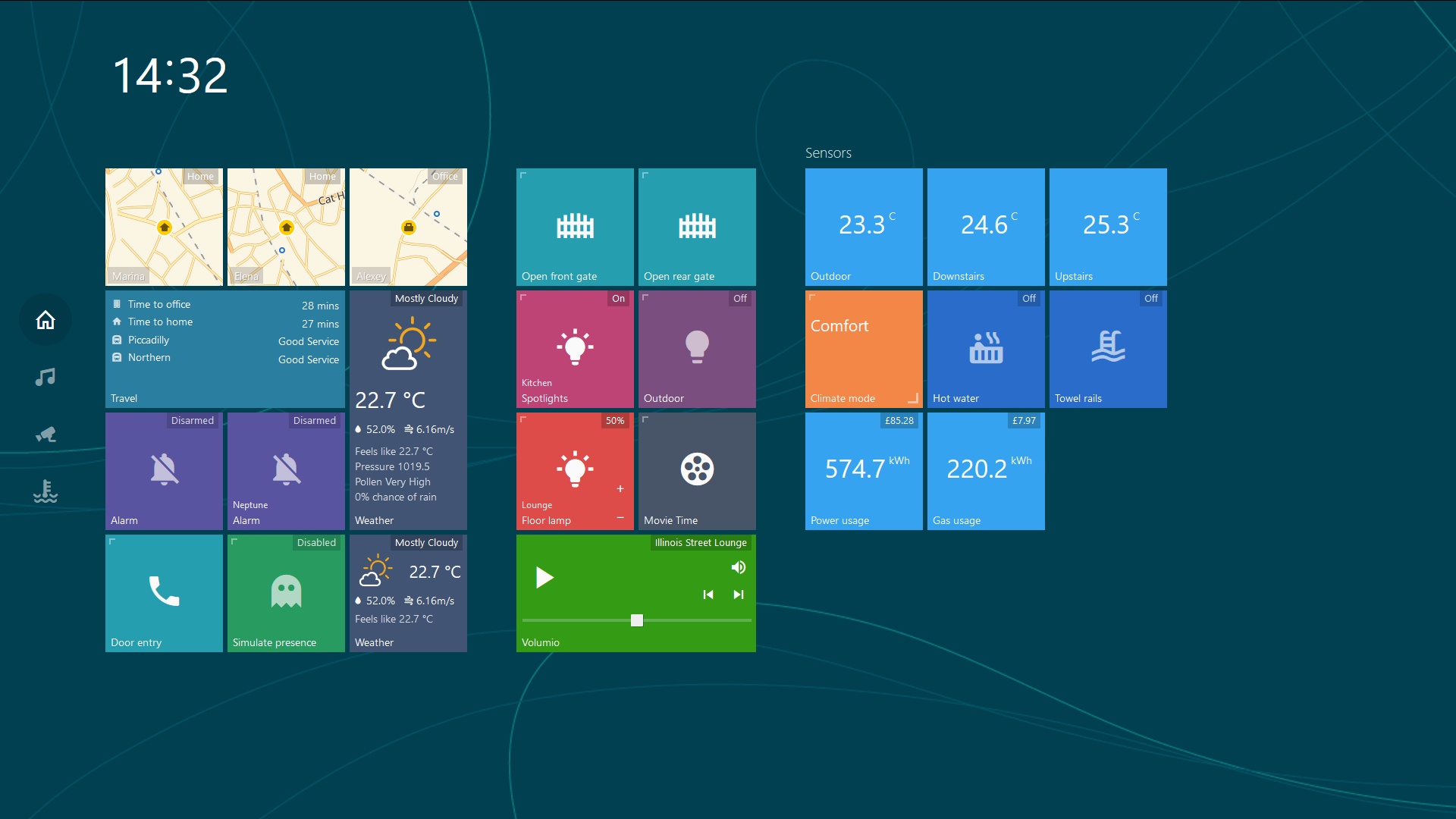
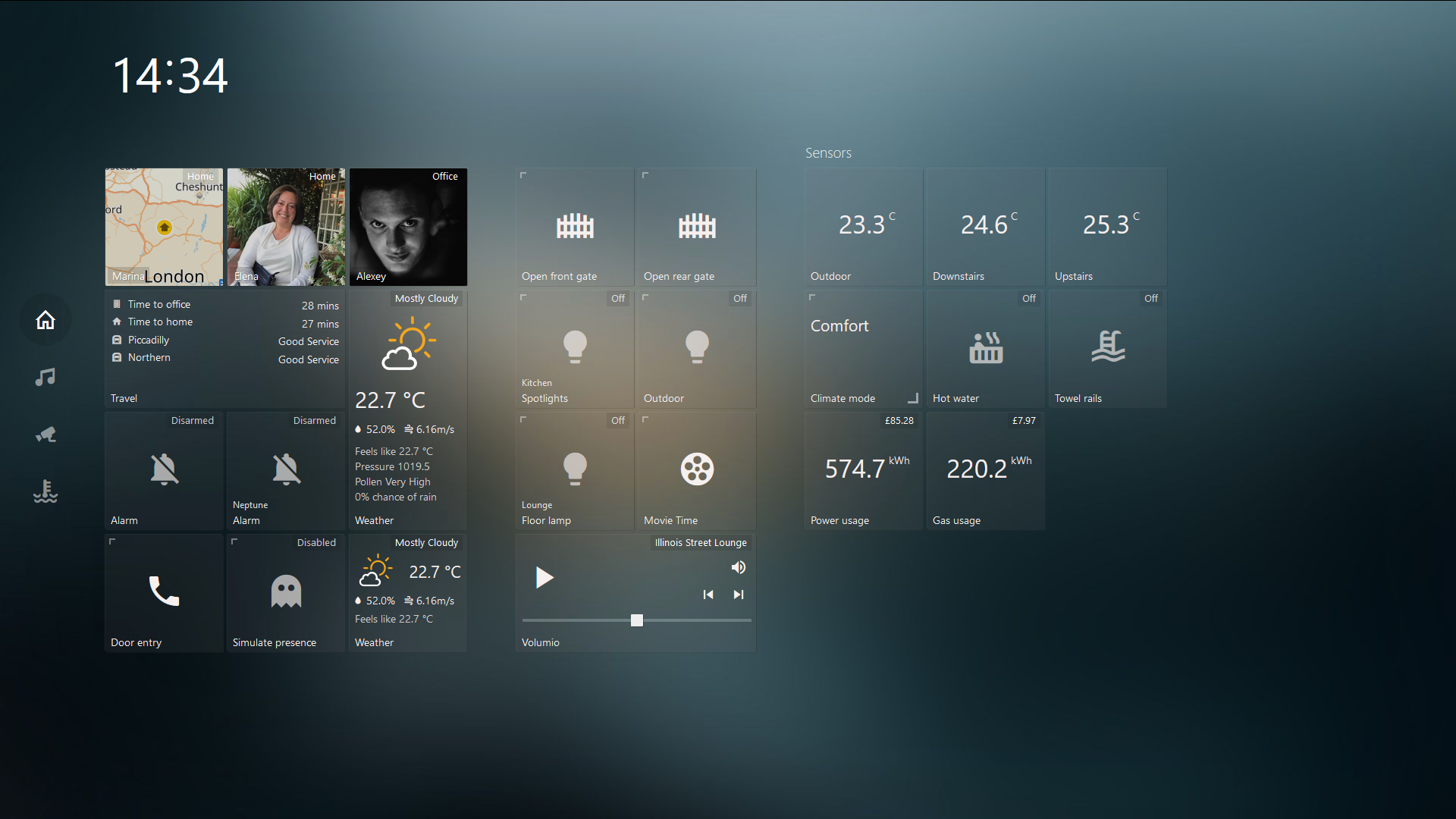
Modernized my fork of TileBoard for wall-mounted Home Assistant tablets to fix stale states, support older webviews, and match Google’s Material 3 dark palette.

TileBoard Default Dashboard TileBoard Transparent Theme
  • Self-healing state sync: added a 10-minute WebSocket reconnect watchdog and periodic/tab-visibility state resyncing so wall tablets never get stuck showing stale tiles
  • Material 3 Google theme: restyled the Google theme with dark tonal surfaces, outlines, and larger tile state text and fan speed controls
  • Legacy browser compatibility: transpiled chart.js and hls.js and added a ResizeObserver fallback so older tablet browsers parse the bundle cleanly

GitHub: https://github.com/BigWebstas/TileBoard

Released 1.2.1 of wp386 Theme on GitHub.

Release Notes

Version 1.2.1

  • Fix: the navbar was not pinned to the top, so the sidebar could cover it (introduced in 1.2)

The attached wp386-1.2.1.zip is ready to install (style.css is pre-built).

Downloads

Release page: https://github.com/BigWebstas/wp386/releases/tag/1.2.1
Repository: https://github.com/BigWebstas/wp386

I love the classic DOS look of the wp386 WordPress theme (based on BOOTSTRA.386), which powers this blog—but the original theme was built on ancient Bootstrap 2.3.1, Compass, and older PHP.

I forked it and released v1.2.1 with a full modernization under the hood while keeping the exact retro 386 aesthetic intact:

wp386 Retro DOS WordPress Theme Screenshot
  • Replaced Bootstrap 2.3.1 and Compass with Bootstrap 5.3 and Dart Sass (npm run build), dropping the jQuery dependency for dropdowns
  • Updated the nav walker and customizer options for PHP 8 and current WordPress (title-tag, HTML5, block editor support, and wp_body_open())
  • Fixed the top navbar pinning and unbalanced layout markup when the sidebar is empty

GitHub: https://github.com/BigWebstas/wp386

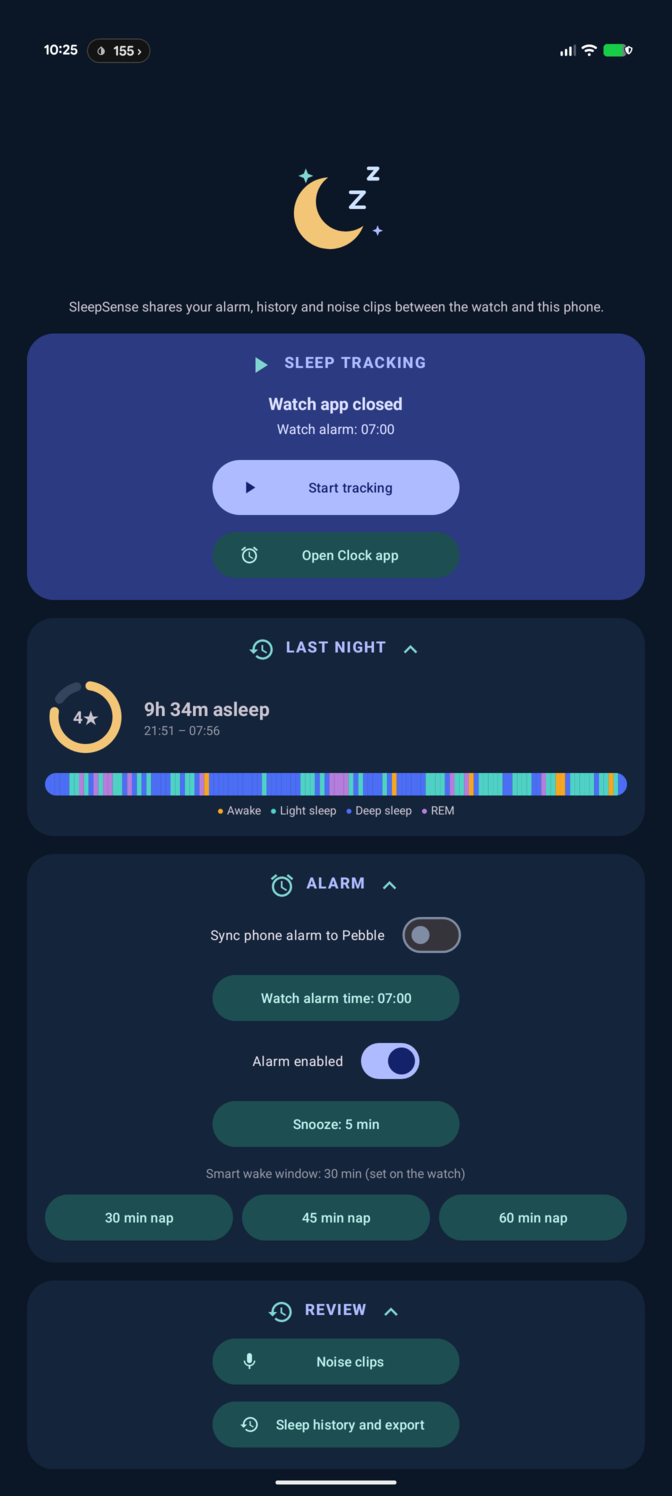
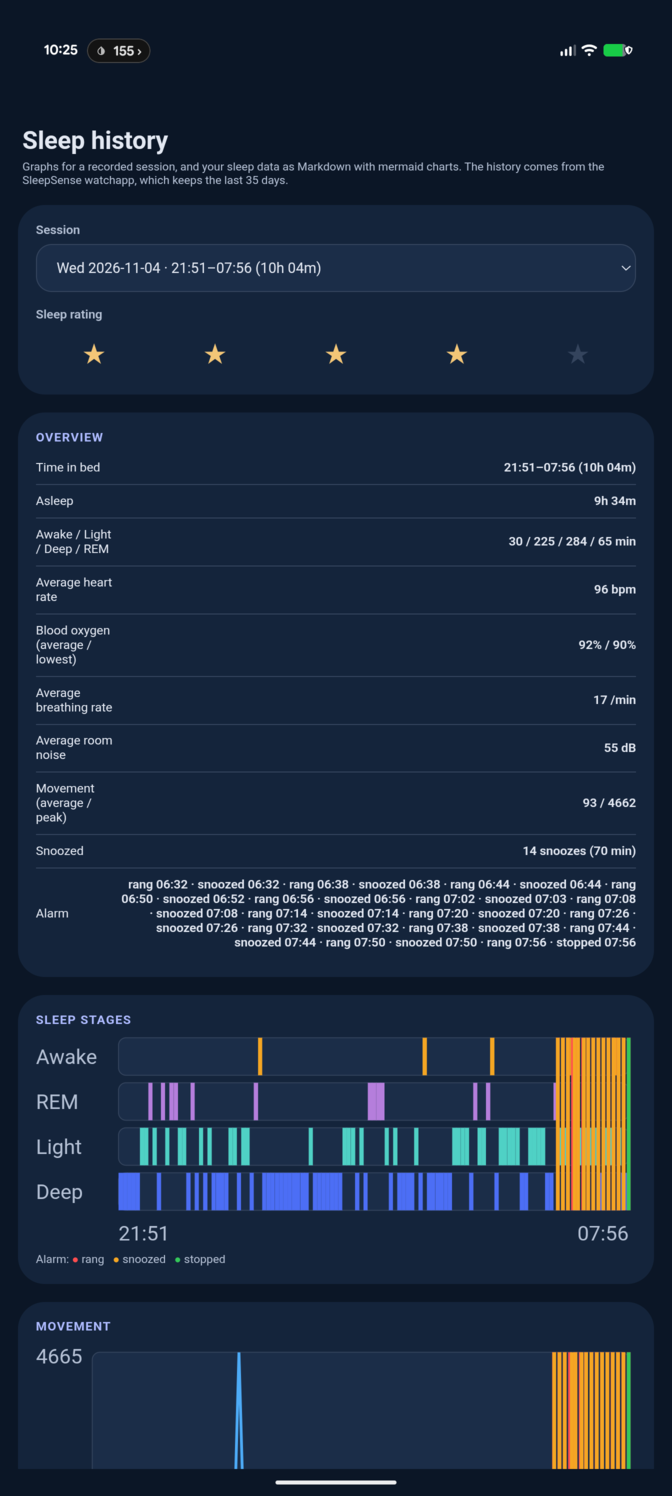
Built SleepSense, a full sleep cycle tracker and smart wake alarm for Pebble smartwatches (aplite, basalt, chalk, diorite, emery, flint, and gabbro) paired with a native Android companion app.

It fuses watch accelerometer movement, ambient light sensor readings, heart rate, and phone microphone room-noise analysis to classify sleep into Awake, Light (N1/N2), Deep (N3/Slow-Wave), and REM across ~90-minute cycles.

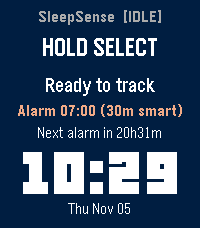
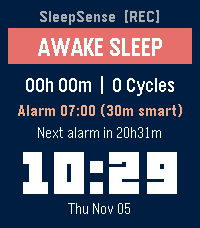
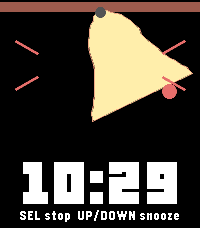
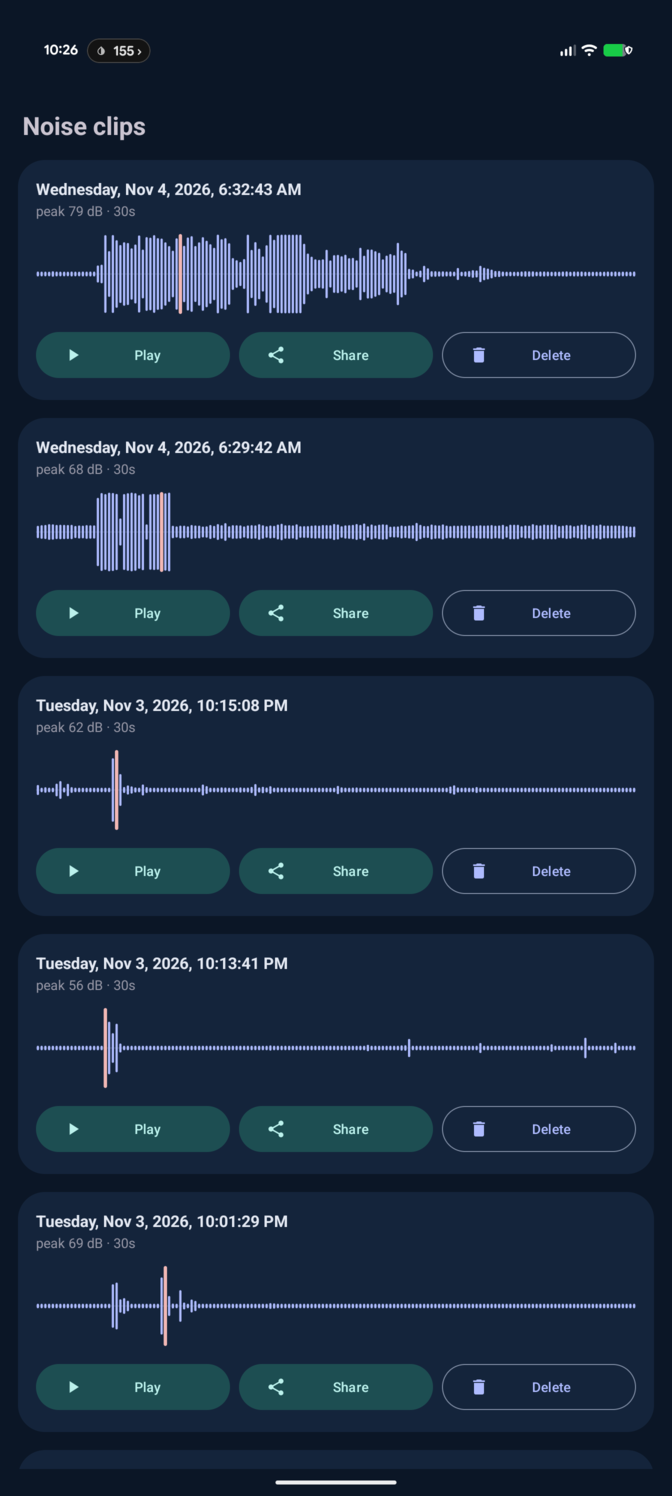
Watch Idle Watch Tracking Sleep Watch Smart Alarm Ringing Android Companion Main View Android Sleep History Graphs Android Room-Noise Clips Android Home-Screen Widget
  • Smart wake alarm: wakes you during light sleep within your target wake window
  • Standalone or paired: the watchapp works completely on its own, while the optional Android companion app adds a home-screen widget, room-noise spike audio clips, sleep-history graphs, and Markdown export

GitHub: https://github.com/BigWebstas/Pebble-SleepSense